Managing Requests for Teaching Accommodations
After a student has used the Ventus Student Portal to submit an accommodations request for your course, you will receive an email notification from Ventus the very first (and only the first) time a student with accommodations is added to your course.
Table of Contents
Letters of Accommodation
All student Letters of Accommodation (LoAs) are viewable in Ventus.
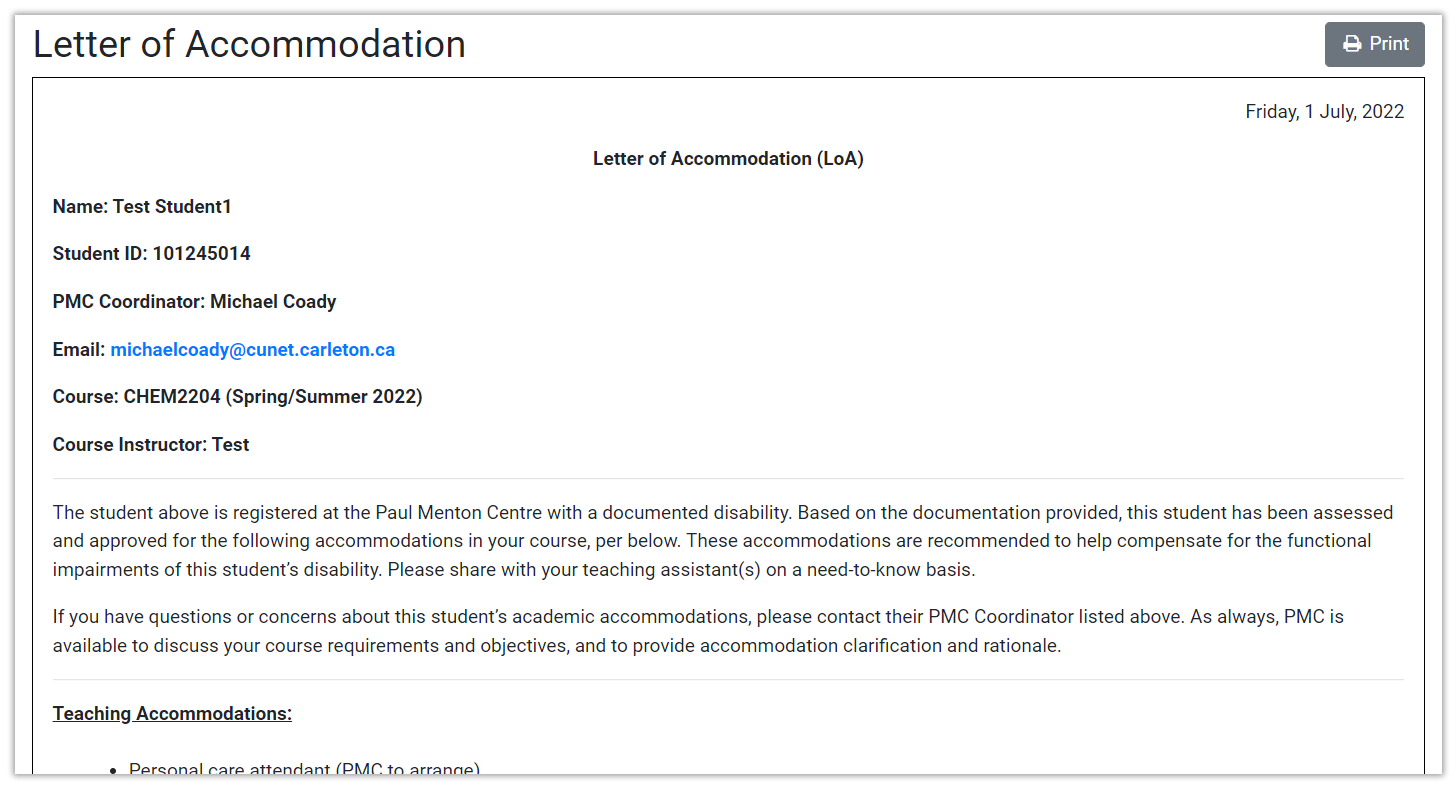
Once a student makes an Accommodation Request and it is approved by their PMC Coordinator, a link to their letter of accommodation will appear next to their name in the Students list on your Course page. The LoA will list all the teaching and exam accommodations that the student has been approved for. The LoA page has a print button if you would like to print a hard copy or save it as a pdf for your files (see image below).
Teaching Accommodations Summary
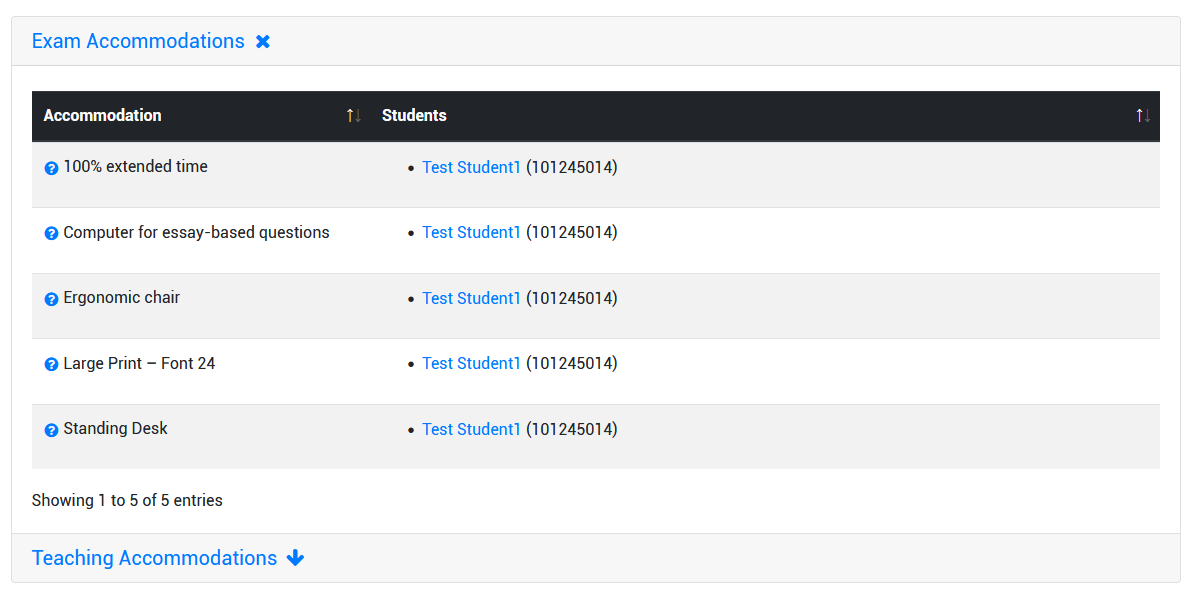
Below the NoE section of the Course page, you will see a summary of the Exam Accommodations and Teaching Accommodations that you will need to prepare and provide for this course (PMC and SES are available to assist you with providing some of these accommodations). Clicking on the “Teaching Accommodations” heading will drop down a list of all accommodations requested by PMC students enrolled in your course. Clicking on the blue question mark icon next to each accommodation will pop up a description of that accommodation (see image below).