Accessing Volunteer Notes
In order to access notes…
- you must be approved to receive volunteer notes (by your PMC coordinator);
- you must request the Volunteer Notetaking teaching accommodation for the relevant term and course(s) in Ventus;
- a volunteer notetaker must have been assigned to your course.
If you have not yet requested your accommodations please follow the steps outlined on the Requesting Academic Accommodations page. If you need to make changes to your accommodations, please contact your PMC coordinator.
To access volunteer notes…
- Login to the Ventus Student Portal.
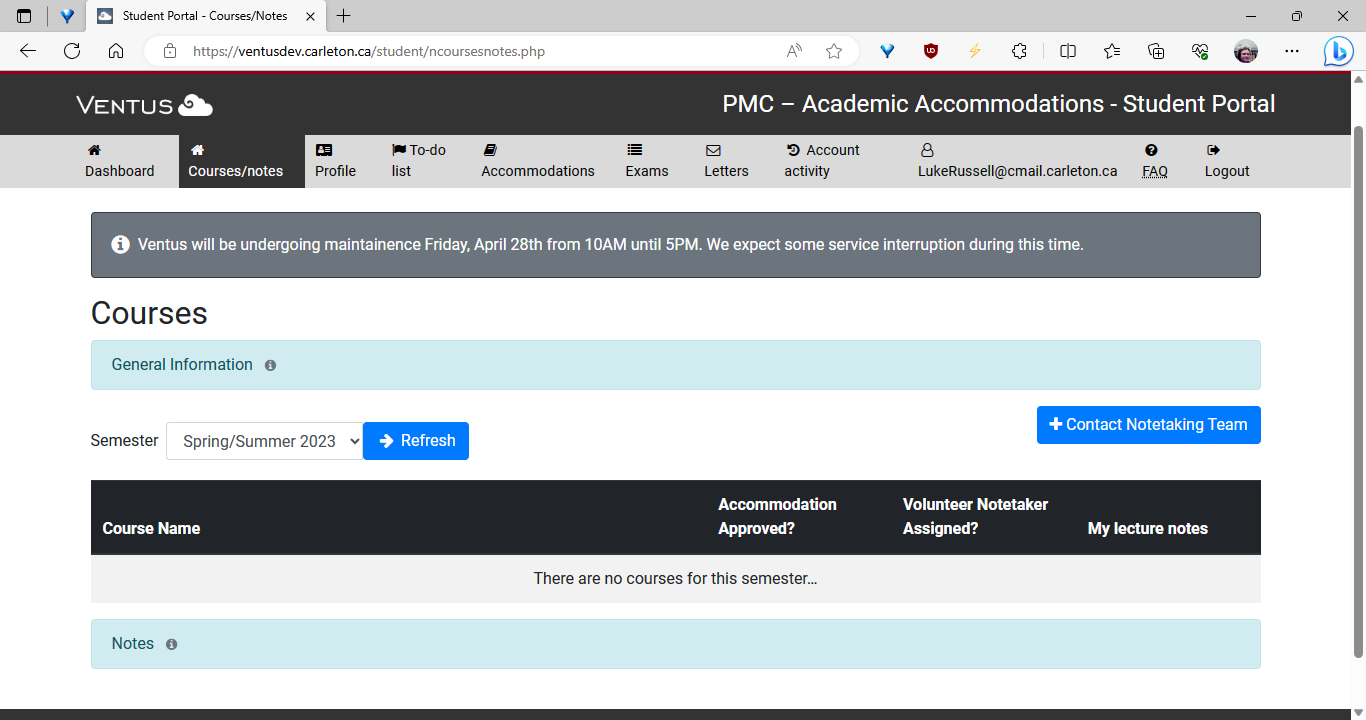
- From your dashboard, navigate to the “Courses/notes” tab (see below)

4. In the “Courses/notes” section select the current term. A list of courses for which you have been approved to receive volunteer notes will populate.
5. Click on the notes to download them. If the course is listed but there are no notes to download the notetaker may not have uploaded them yet. If it has been more than 72 hours since the lecture, please email volunteer_notetaking@carleton.ca to let the volunteer notetaking team know that a reminder email may need to be sent to the volunteer(s).