Becoming a Volunteer Notetaker
The Ventus Notetaker Portal is where you can volunteer to become a notetaker, manage the courses you are available for, upload your notes, and resign from courses if necessary.
Note that you can only volunteer for courses in which you are currently enrolled and that volunteer notetakers are only recruited for lectures. We do not recruit or assign volunteers for tutorials, labs or discussion groups.
For information about the Volunteer Notetaking roll and benefits, please visit the PMC’s Volunteer Notetaking webpage.
Table of Contents
To volunteer…
- Visit the Ventus Volunteer Notetaker Portal and click the green “Login to the PMC Volunteer Notetaker Portal” button.
Note: we recommend using Microsoft Edge or Google Chrome to access the portal. - Login using your MyCarletonOne credentials.
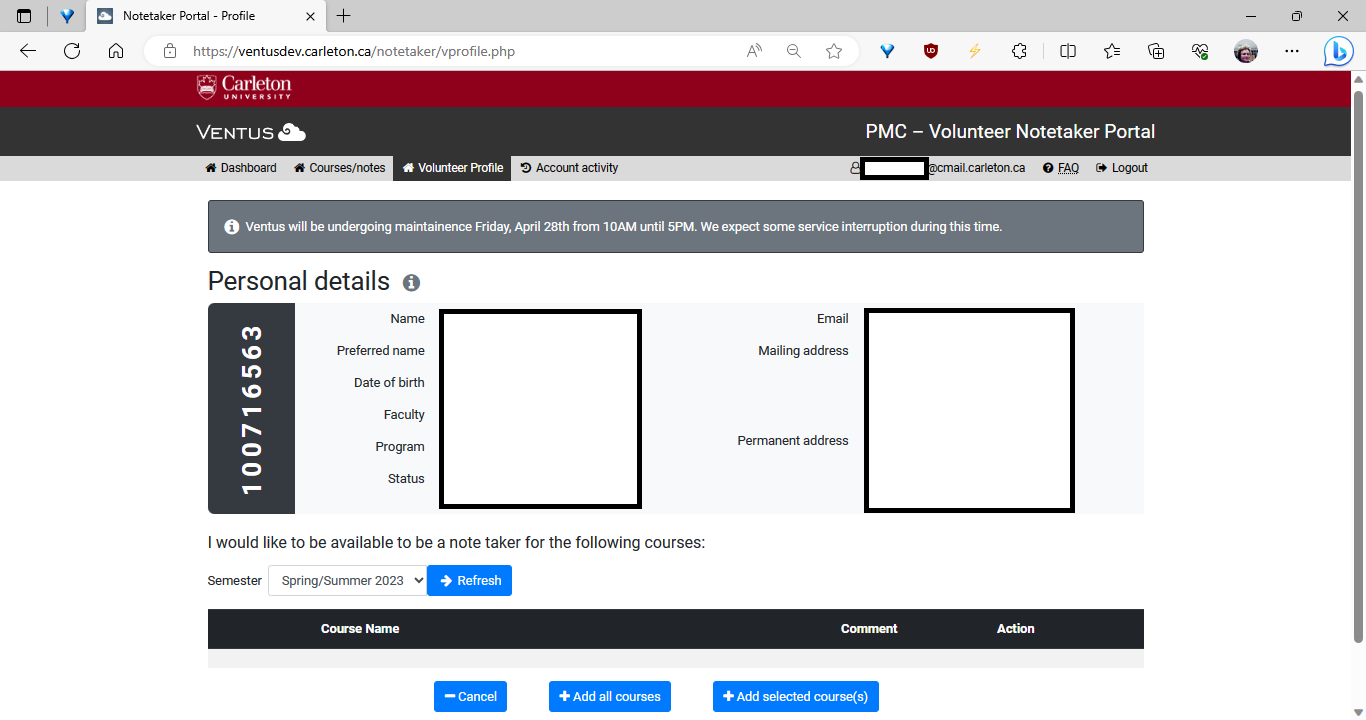
- Navigate to the “Volunteer Profile” tab via the navigation menu along the top of the page and check that your personal information is correct (see image below, left).
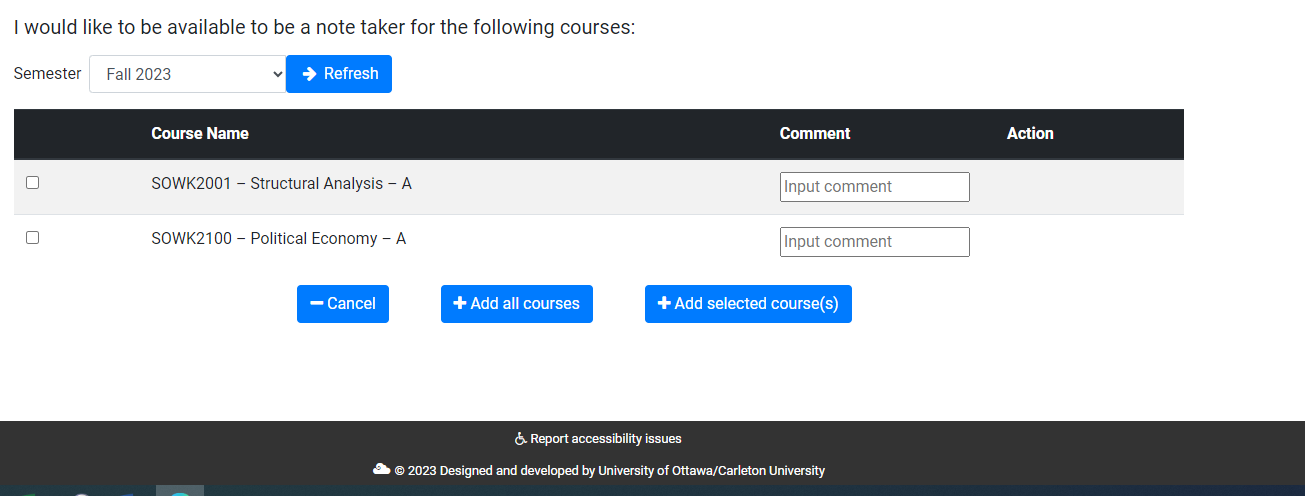
- Below the “Personal Details” sections you should see a “Semester” dropdown menu, which defaults to show the current academic term, followed by a list of courses you are registered in (see image below, right).
- Select the courses you are available to volunteer for and click “Add Selected Courses”.
- Enter any relevant course information into the ‘Comment’ box, for example “This course is cross listed” or “this course is asynchronous”.
- If you are available for all of your courses this term, you can click “Add All Courses”.
- Note: We may assign students to up to 2 courses per term.
- Wait to receive a ‘You’ve been assigned as a Volunteer Notetaker’ email from volunteer.notetaking@carleton.ca which will include instructions on how to upload your notes to Ventus.
Note: We cannot guarantee you will be assigned. If you do not receive an email, it may be because we do not need a volunteer at this time.
Removing Courses
If you add a course to your availability and no longer want to volunteer, please promptly remove the course from your Volunteer Profile to avoid being assigned as the Volunteer.
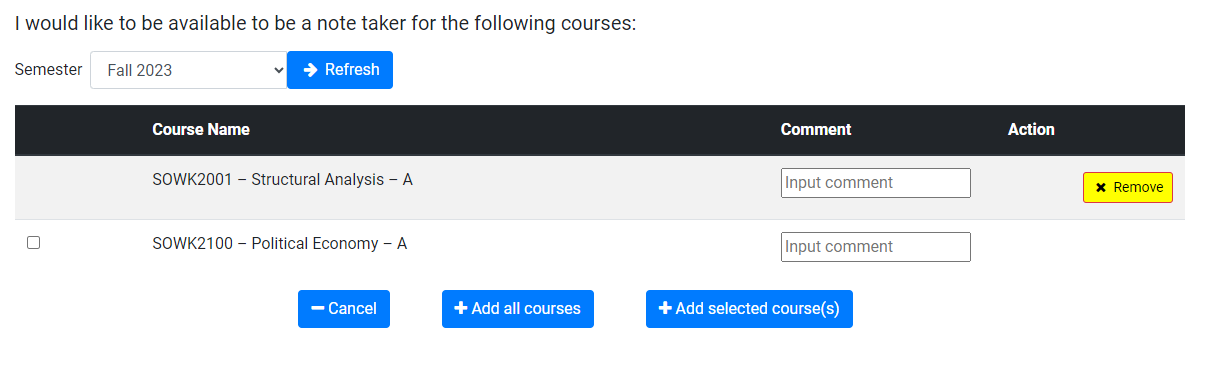
You can remove a course from your availability by clicking the yellow “Remove” button in the action column. A pop-up will appear asking you to confirm removal of the availability (see image below).
Resigning from a Course
At any point in the term, if you feel that you can no longer serve as the volunteer notetaker for your class, you can resign from the role on this page.
Resigning in Ventus will notify the Volunteer Notetaking team to find a replacement volunteer.