Introduction to Blocks
Blocks are the building blocks of every page in cutheme. Whether you’re adding text, images, videos, buttons, listings, or more advanced page layouts, each piece of content is created using a block.
Think of blocks as individual pieces that can be combined to create a complete page. A typical page might contain several different blocks working together, such as headings, paragraphs, images, buttons, and cards.
Everything you see within the page editor is made up of one or more blocks.
What Are Blocks?
Blocks are the foundation of content creation in cuTheme. Every page is built by combining different blocks, each designed for a specific type of content or functionality.
Examples of blocks include:
- Paragraphs
- Headings
- Images
- Lists
- Quotes
- Videos
- Buttons
- Tables
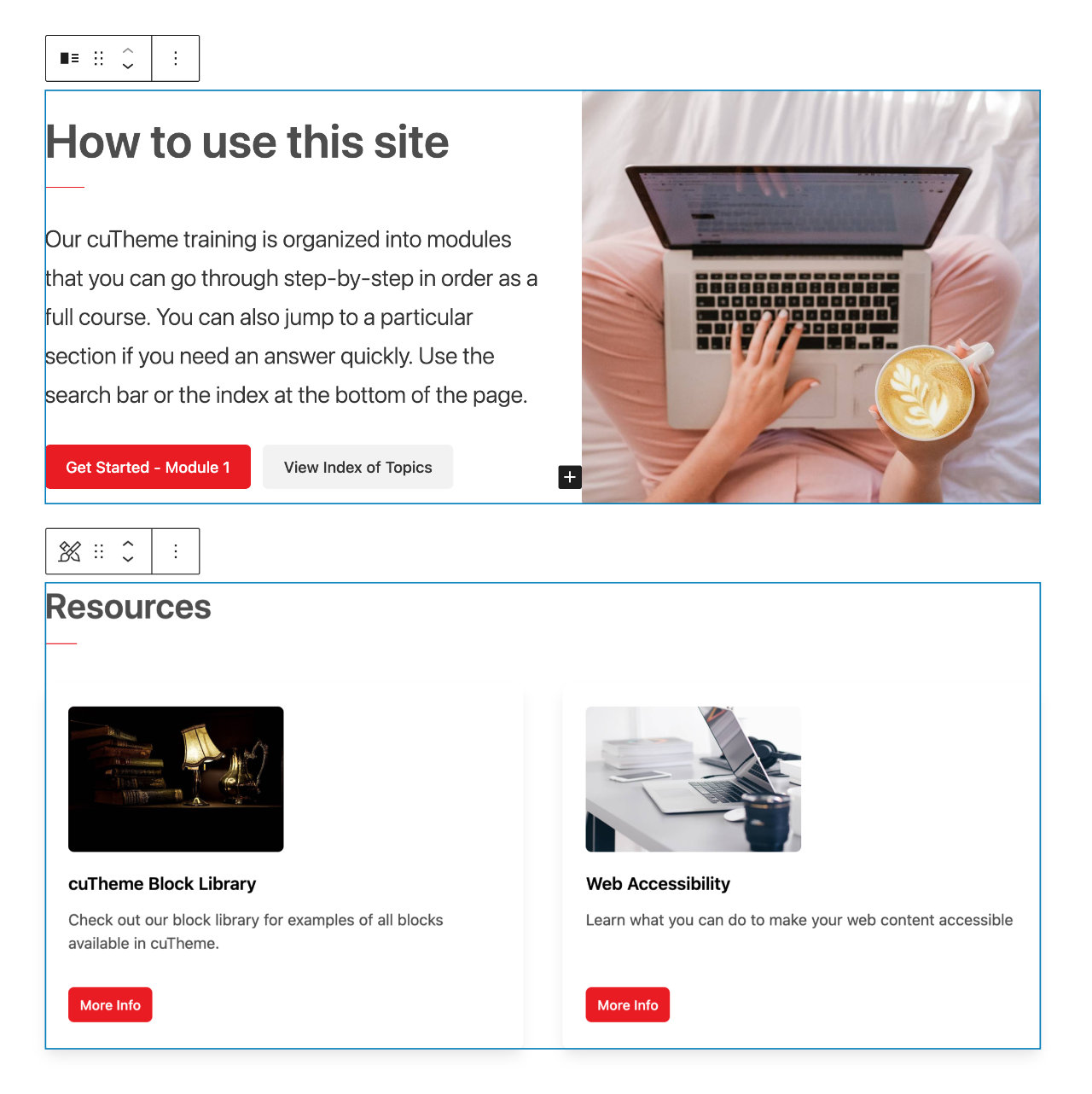
Everything you see outlined in the editor represents an individual block. Together, these blocks make up the content and layout of a page.
Why Use Blocks?
Blocks provide a flexible and consistent way to create content without needing technical expertise.
Modular Content & Flexible Layouts
Blocks allow you to build pages section by section. You can add, move, remove, and customize individual pieces of content without affecting the rest of the page. This makes it easy to create everything from simple content pages to more complex layouts.
Consistent Design
Because blocks are designed to work together, they help maintain a consistent look and feel across your website while still providing flexibility for different types of content.
How Blocks Work
Most pages are made up of multiple blocks, each with its own settings and customization options.
Adding Blocks
To add a block, click the + button and choose the block type you would like to insert. You’ll learn several methods for inserting blocks throughout the training.
Reordering Blocks
Blocks can be moved up, down, or repositioned within the page, allowing you to organize content in the order that best supports your message.
Customizing Blocks
Each block includes its own settings and options.
Depending on the block, you may be able to:
- Edit content
- Change layouts
- Adjust appearance
- Configure block-specific settings
What’s Next?
The remainder of the training explores the different blocks available in cutheme, including:
- Basic content blocks such as headings, paragraphs, and images
- Layout and content blocks such as columns, galleries, and callouts
- Dynamic blocks such as cards, listings, and forms
- Advanced blocks for featured content, embeds, and integrations
As you progress through the documentation, you’ll learn when to use each block, how to configure its settings, and best practices for creating effective content.