Starting Monday, June 29, your journey into Brightspace will look a bit different. Don’t worry, your courses haven’t moved, but there will be a new dual login screen that requires one extra click to get to your dashboard. To log in, simply click the “MyCarletonOne (MC1)” button. This will instantly route you to the familiar, secure institutional login page where you will enter your standard MC1 credentials. 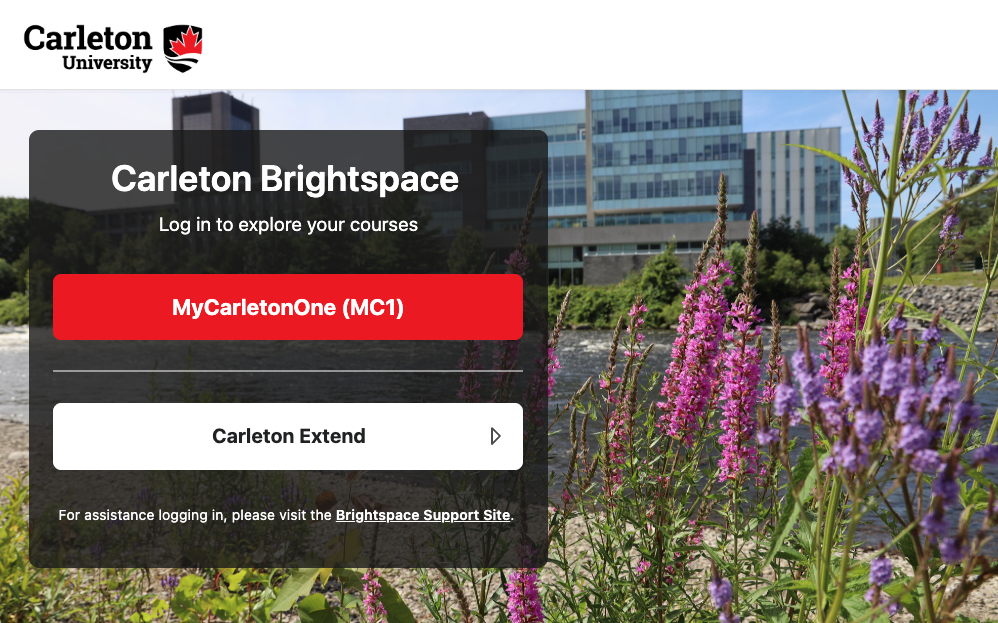
Why the new look? We are expanding our digital campus! This updated login layout is being introduced to lay the groundwork for Carleton Extend, an exciting new online storefront for professional development and certificate programs launching later this year. By separating our login paths now, we ensure that external lifelong learners can seamlessly access their specialized courses down the road without disrupting the daily workflows of our degree-seeking community.
Need a hand? If you experience any issues trying to log in, please visit the Login Support Page for quick troubleshooting steps and assistance. Thank you for your flexibility as we grow our learning environment!