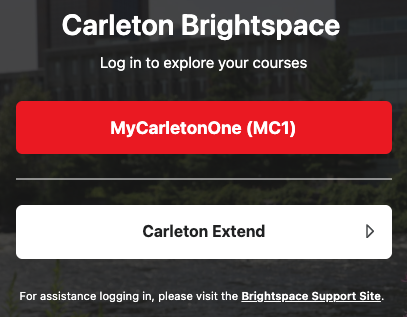
Carleton Students, Staff and Instructors
- How to Sign In: Click the “MyCarletonOne (MC1)” button on the main page. This will take you to the standard institutional login screen where you can sign in using your standard MC1 username and password.
- Need Account Help? If your password isn’t working, you have forgotten your credentials or your account has been locked out, please contact the ITS Service Desk for immediate technical support.
- Submit a ticket to ITS Service Desk Customer Portal
- Email its.service.desk@carleton.ca
- Phone 613-520-3700
- Look at articles in the ITS Online Help Centre
External Learners (Carleton Extend)
Note: This specific login portal is dedicated to learners who registered and purchased a non-credit course through the Carleton Extend storefront and do not possess a standard @carleton.ca university email address.
- How to Sign In: Click the “Carleton Extend” button on the main page. Enter the full email address and password that you created during your initial registration or course purchase process, then click “Log In.”
- Need Account Help? If you cannot log in, please click the “Forgot your password?” link to trigger an automated reset email. If you continue to experience technical difficulties or do not receive the reset link, please reach out to our team at extend@carleton.ca for assistance.