Related FAQs
- What photo file types are acceptable?
-
Please submit a JPG, JPEG, or PNG file only. Other file types (ex: HEIC) will not work.
- Why can’t I submit a photo from my phone?
-
Please use a laptop or desktop to submit your photo to ensure all features are visible to you.
- I submitted a photo, but I changed my mind!
-
Once your photo has been submitted, it cannot be changed unless it is rejected for not meeting our requirements.
- My photo was rejected, and I don’t understand why.
-
Before submitting a new photo, please read the email you received in full. Please do not submit a rejected photo more than once – it will continue to be rejected.
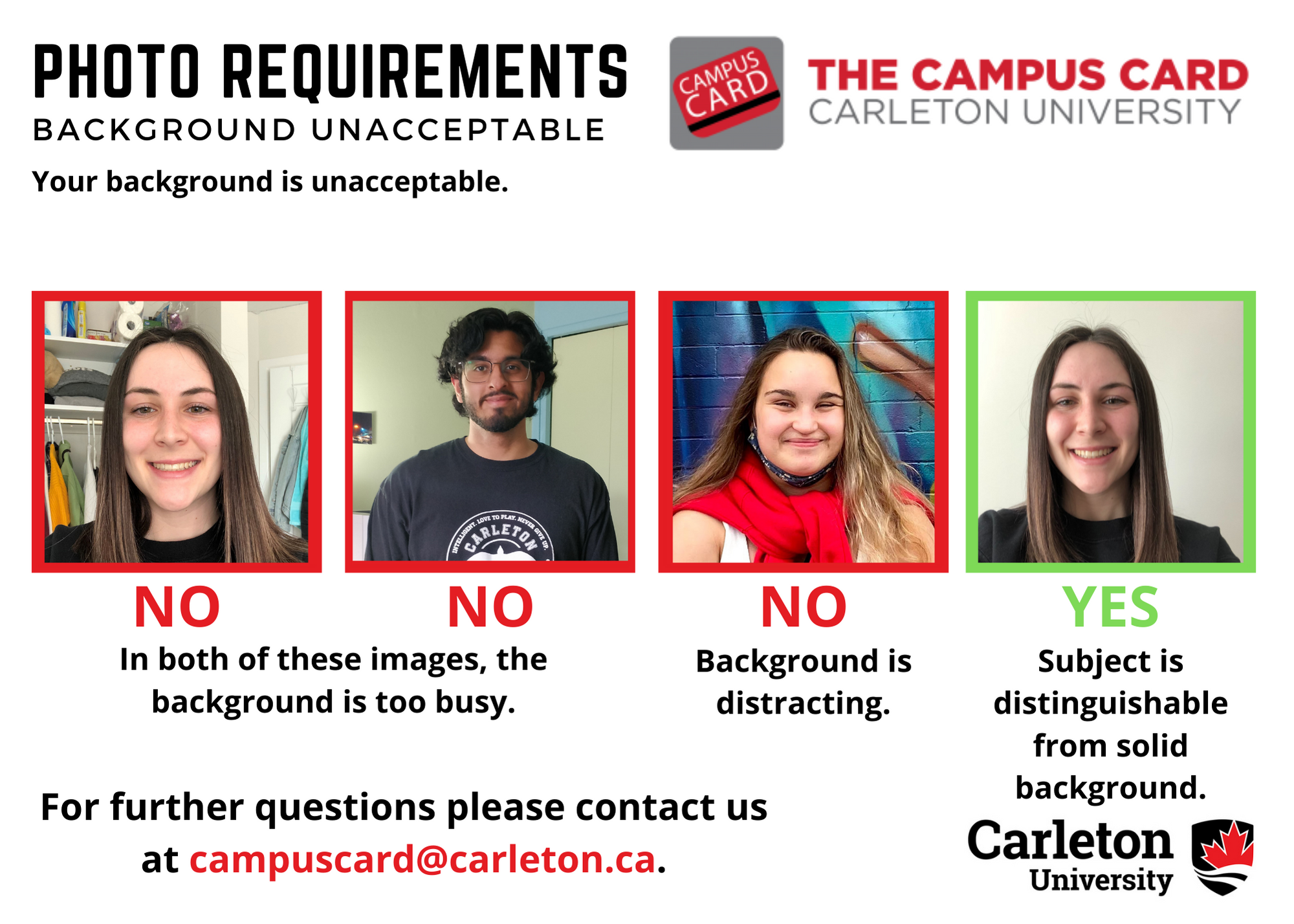
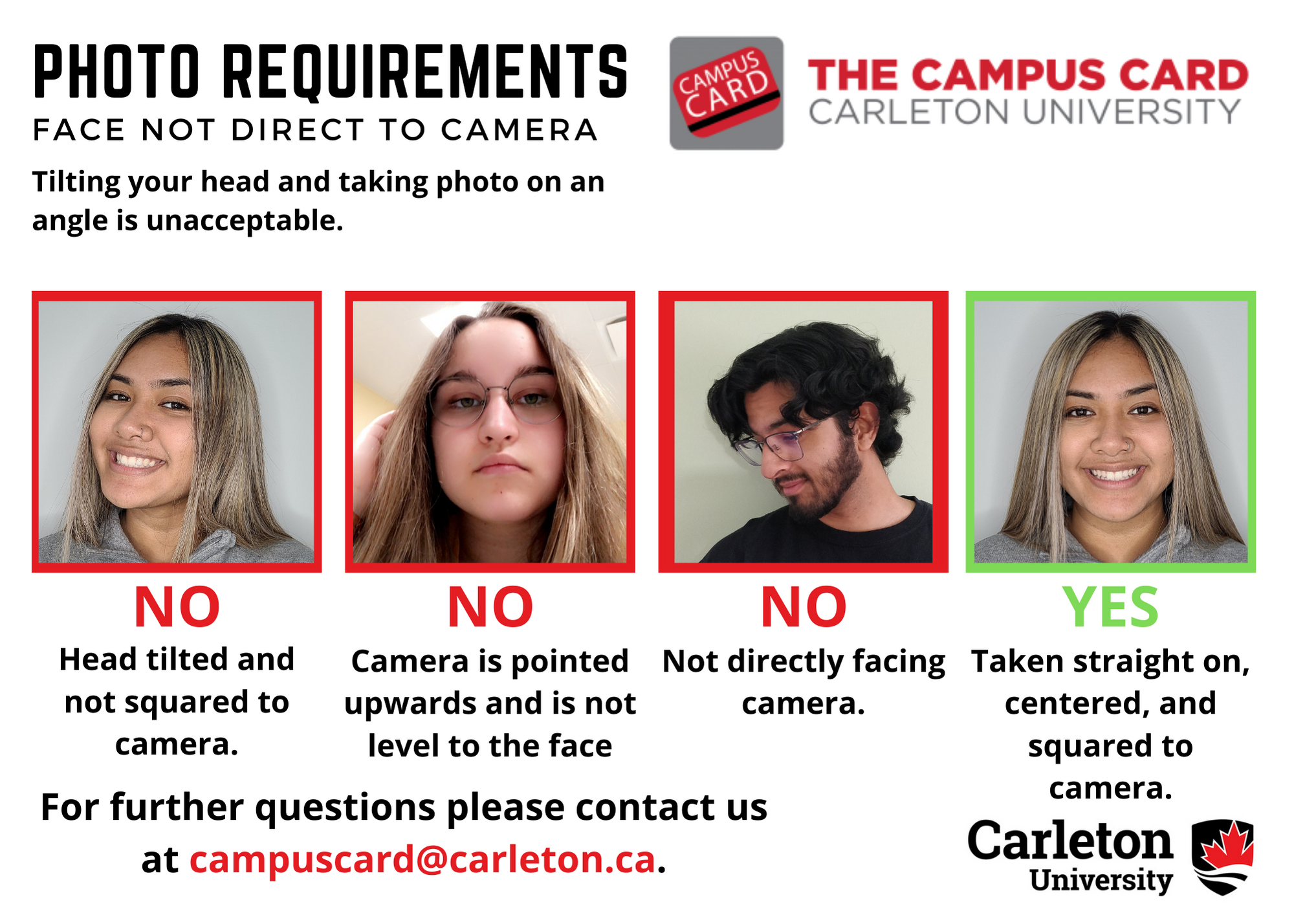
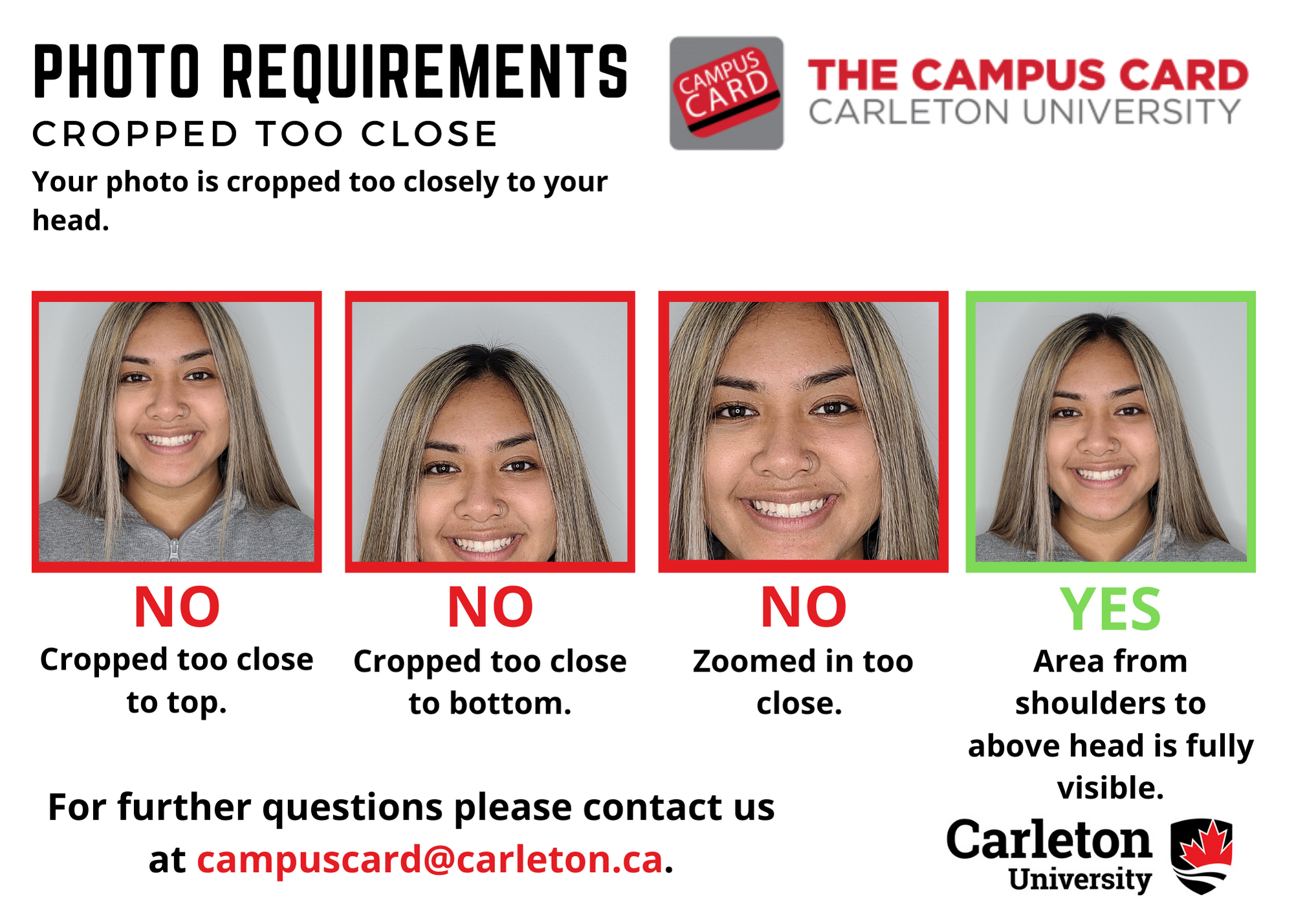
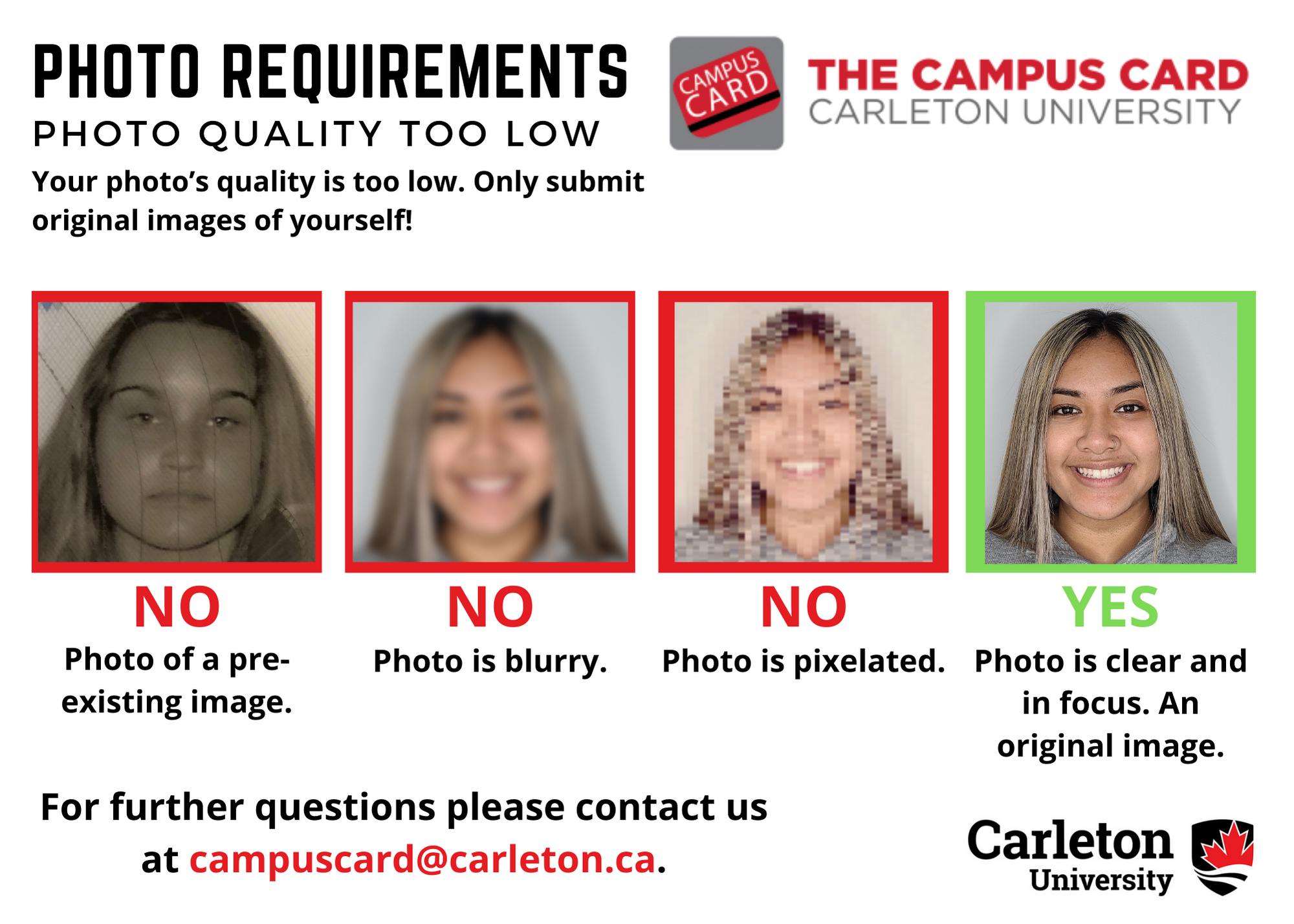
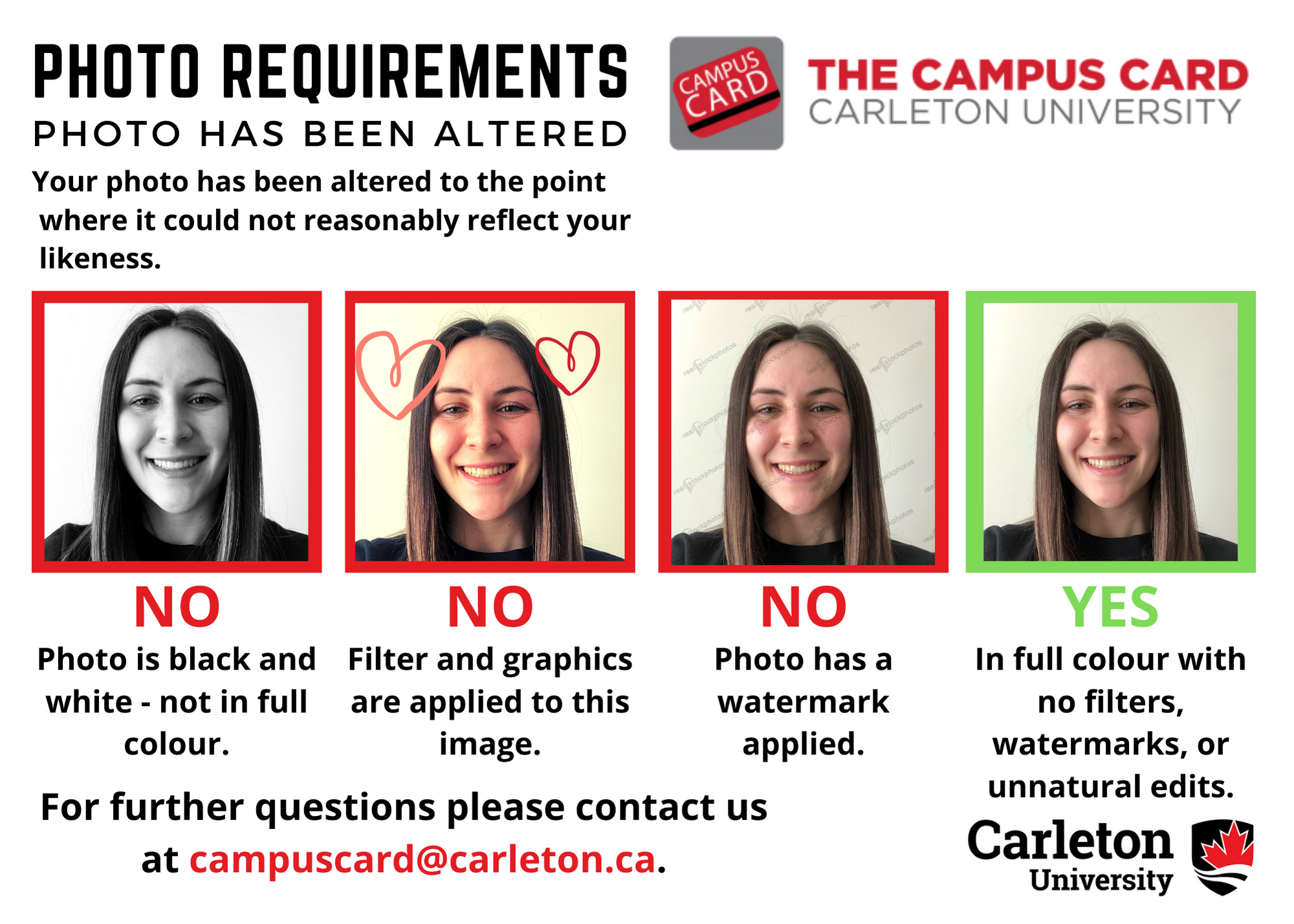
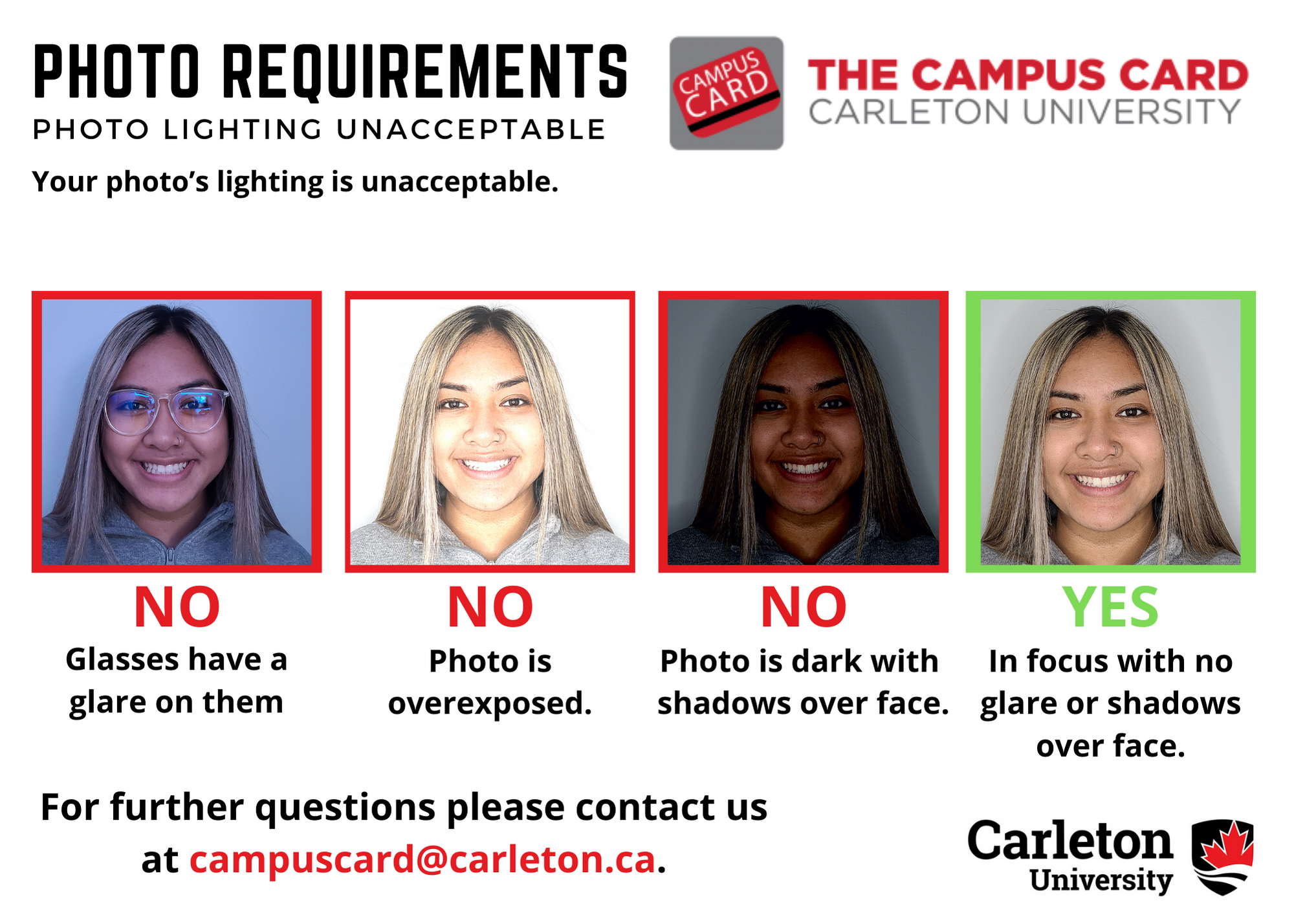
If you need more help understanding the requirements, try reviewing our infographics! Remember this is an official identification. We’re sure you look great in your favourite photo, but it may not be a good fit for your Campus Card.
- Background Unacceptable
- Face not Direct to Camera
- Cropped too Close (TIP: Our photos are SQUARE. You have to leave enough space on the sides of your face to allow for square cropping to include the area from over the top of your head to your shoulders.)
- Photo Quality Low
- Photo Altered
- Lighting Unacceptable
- What if I missed the deadline to submit my photo?
-
The deadline to submit your photo online for the fall term is August 18, 2024. Please see Get Your Campus Card – step 3 for more information.