Page Titles vs. Page Banners: What’s the Difference and Best Practices
We’ve recently made an update: page titles are no longer automatically connected to page banners. Up until now, the page title and banner title were always the same by default.
This change provides you with more flexibility in terms of how your content appears and its performance in search engines.
Page Title
- The page title is the main title of your page.
- It appears in your browser tab, search engine results (like Google), and may also be used by screen readers for accessibility.
- From an SEO perspective, the page title is critical—it helps search engines understand what your page is about, and it’s often the first thing people see when deciding whether to click through to your site.
- Best practice: make sure your page title is clear, descriptive, and includes relevant keywords.
Page Banner
- The page banner is the large, visual header that displays at the top of your page.
- It’s meant for design, branding, and creating a strong first impression for visitors once they land on your page.
- Unlike the page title, it doesn’t directly affect SEO, but it plays a big role in user experience.
Why We Separated Them
In the past, the page title and the banner title were always the same by default. This could limit flexibility—for example, you might want a shorter, keyword-rich page title for SEO, but a more descriptive or welcoming banner title for readers.
By separating them, you now get the best of both worlds:
- Strong, optimized page titles that improve search optimization.
- Custom banner titles that match the tone, style, or design of your page without being tied to SEO rules.
Best Practices
To get the most out of this update, keep these tips in mind:
Page Titles
- Aim for 50–60 characters so your title doesn’t get cut off in search results (Google).
- Place the most important keywords near the beginning.
- Make sure each page has a unique title.
Page Banners
- Use them to set the mood or theme of your content.
- Choose wording that feels welcoming and clear to your audience.
- Keep it short and easy to read at a glance.
Together
- Think of your page title as your SEO tool and your banner as your design tool.
- They don’t have to match (but can), and should complement each other.
How to add page and banner titles
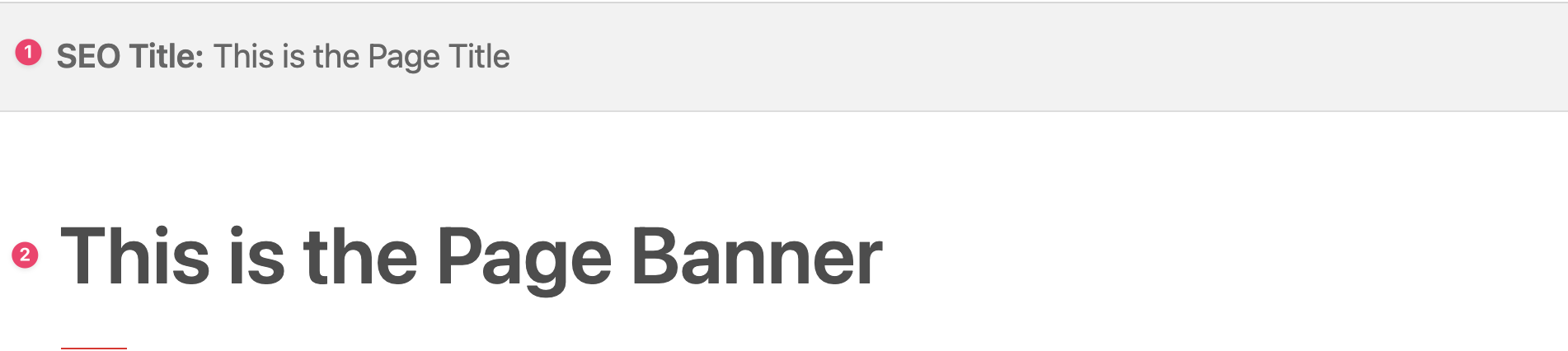
- Add the page title at the very top of the web page next to “SEO Title.”
- Add the banner title in the first content block (Text & Image or Wide Image) at the top of the page.