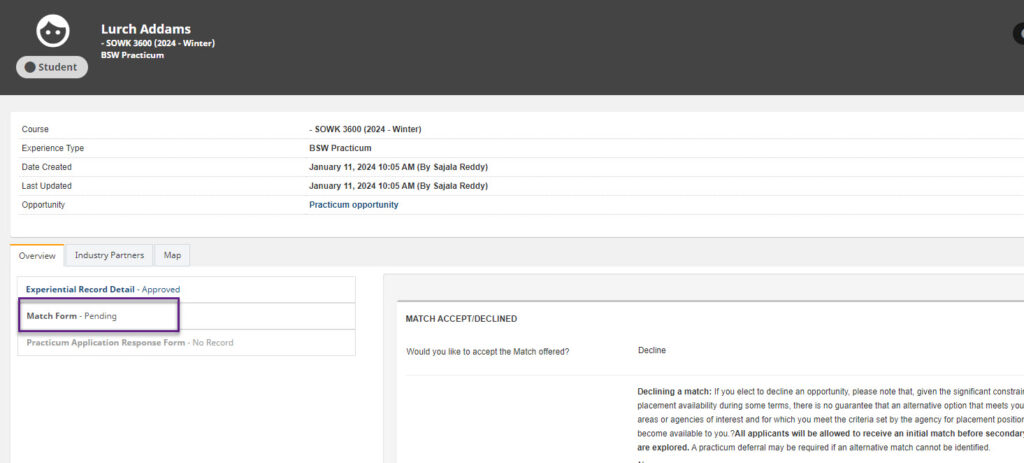
How to fill out Forms and Check their status
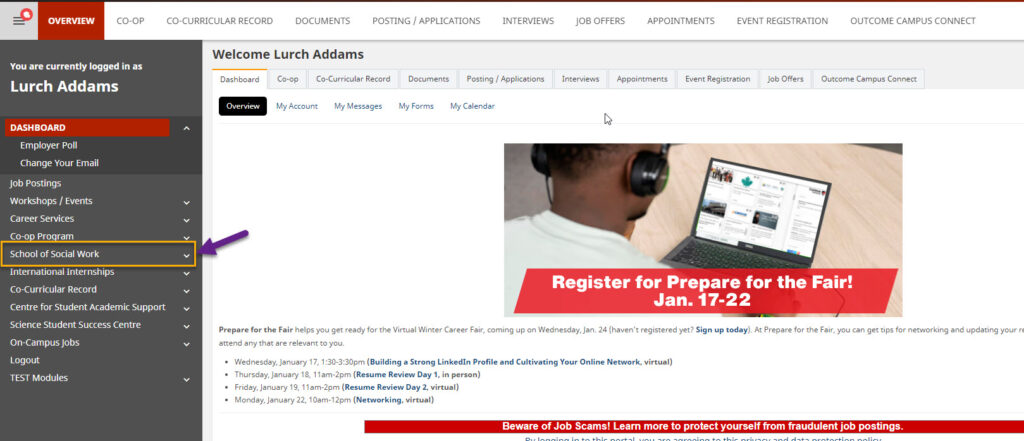
Navigate to social work and the course.
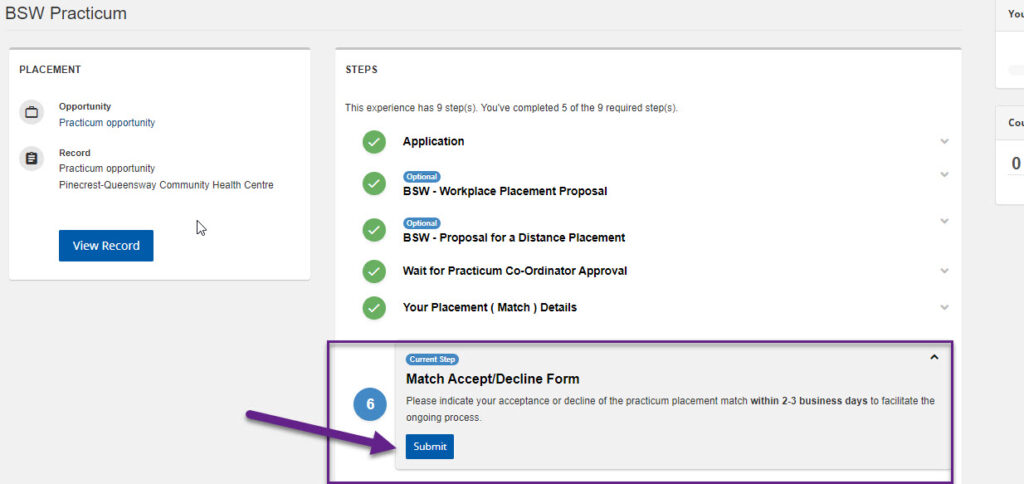
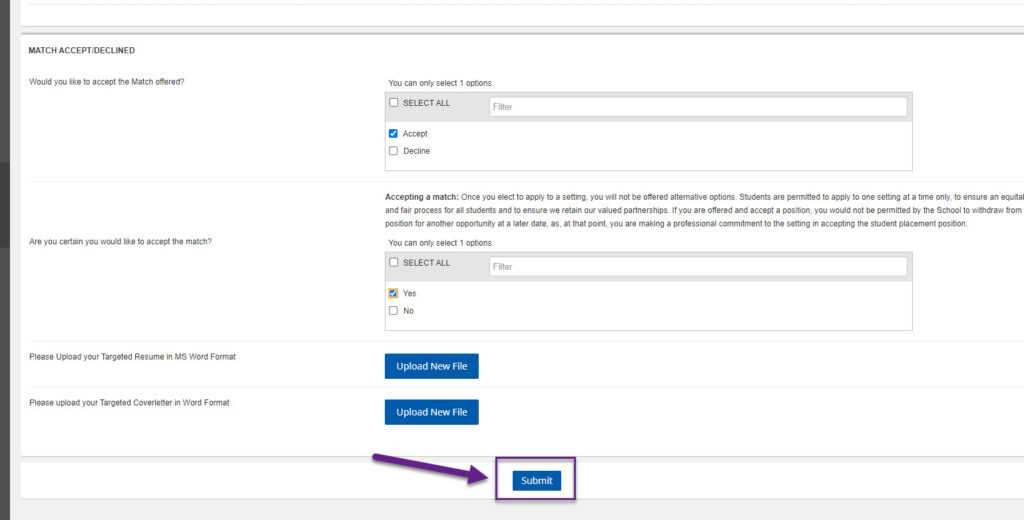
Click “Submit”
To “accept,” click “accept.”A text will be displayed: “Are you certain you would like to accept the match?” Click “Yes”.
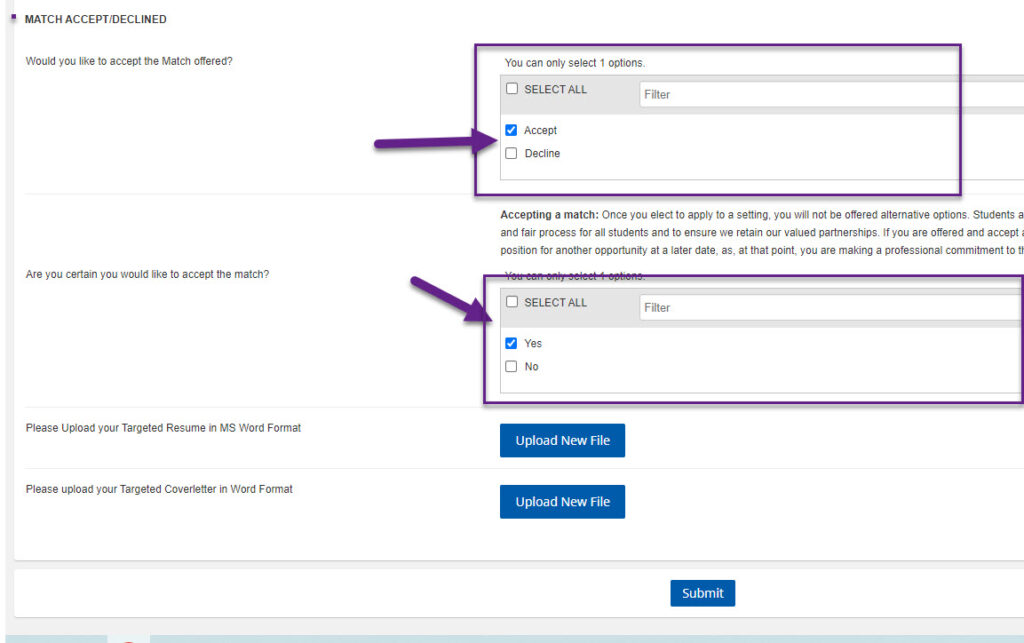
Upload a targeted resume and cover letter in MS Word format.
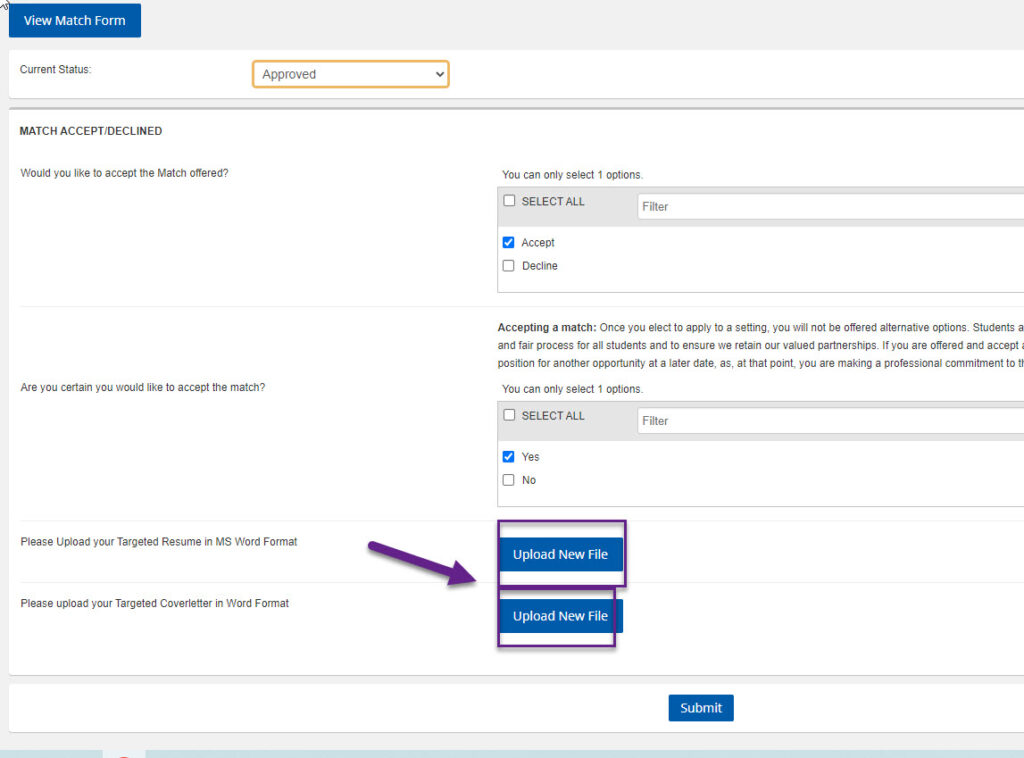
Click on Submit
Navigate back to the page and click on ” View Match Form “
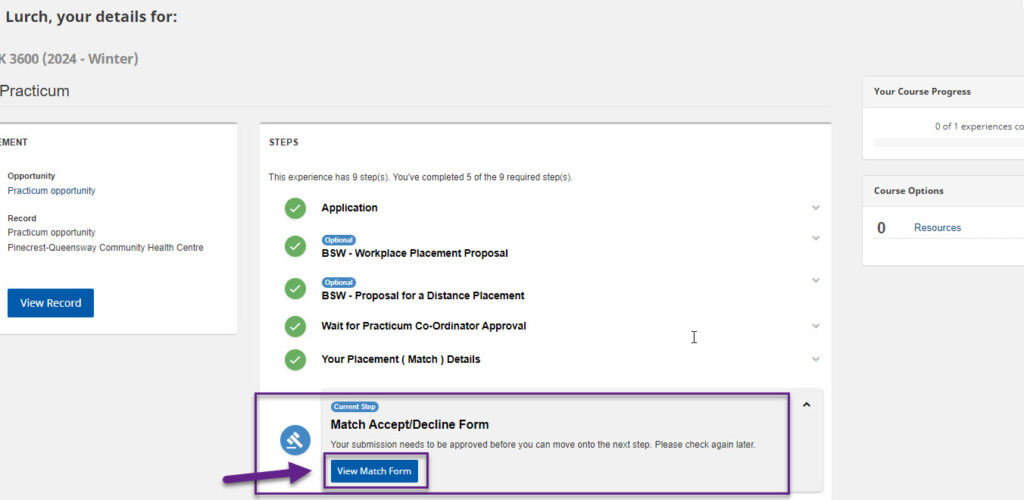
Check the status of the submitted Form
The status is Pending and will change to approved when the admin approves the form