Staff and Faculty can reset their MC1 password without needing to contact the ITS Service Desk. This self-serv feature is done by visiting a website, entering your @cunet email address and authenticating using two methods that you have previously configured in the MFA setup process.
- Go to: https://carleton.ca/sspr
- Enter your MC1 (@cunet.carleton.ca) account as the Email or Username, and complete the Captcha, then click Next.
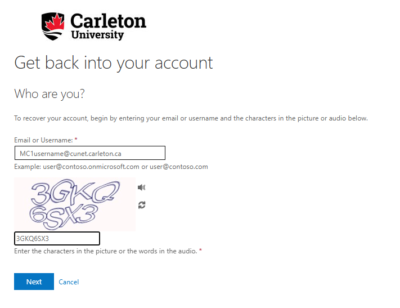
- Enter your MC1 (@cunet.carleton.ca) account as the Email or Username, and complete the Captcha, then click Next.
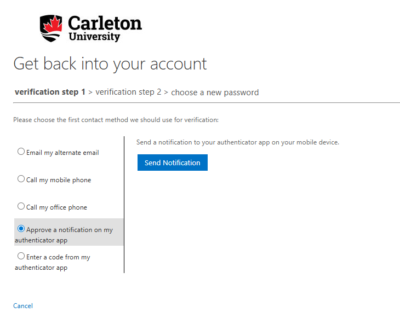
- Select the first authentication method to use to verify yourself.
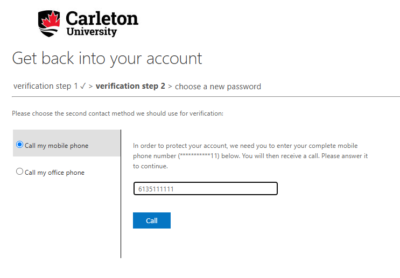
- Once you use an authentication method, you are not able to use it again for the second verification step. Select a second authentication method to use.
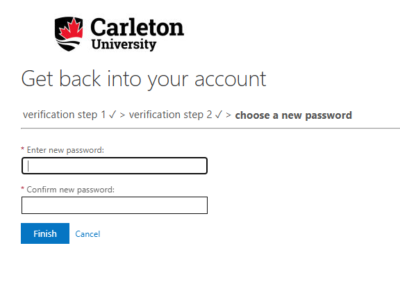
- Enter your new password and confirm, then restart your computer.
- Update your password on any device that is using MC1 account (wifi/email app)
After you change your password through this new process, you will receive an email notification. If you ever receive this email without changing your password, please contact the ITS Service Desk.