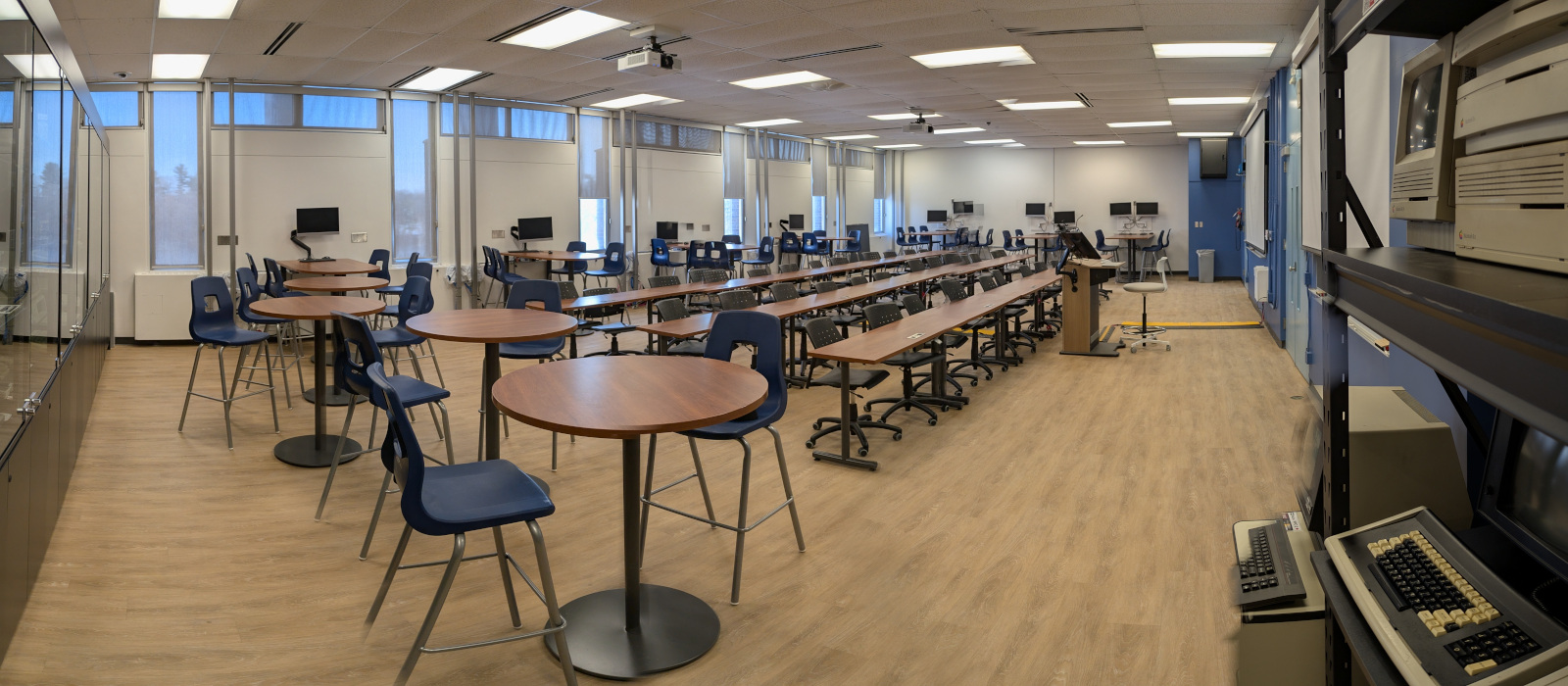
HP4155 is a tutorial lab exclusively for school use .
The room is equipped with
Dual Projectors with audio
In-room PC (connect using CUNET)
Optionally can connect your own laptop
AV lectern
In-room PC connected to CUNET
Webcam with integrated mic (Obsbot face tracking capable camera) / Optional Owl camera
Integrated PA system
Blackboards
Seating capacity for 78 people
Flexible room layouts
In-lab laptops available upon request
Be prepared
The seminar room has an in-room PC or you can connect your own Laptop
The projector has HDMI input for your laptop, you will need an HDMI cable
We recommend testing the AV set up prior to your event especially if you are thinking of running a Hybrid event
Projectors & In-room PC
How to Connect
You can connect to the projector two ways:
Lectern PC (You can use your CUNET account to login)
You can use your CUNET account to login
Visitors can use onsite instructions
Your own Laptop
You need an HDMI cable to connect your laptop to the Lectern’s HDMI portLectern power is available to plugin your laptop
Move the laptop and trackball to the slanted part of the lectern to make room for your laptop
NOTES
There is a built in PA that you can use. Turn it on/off at the base of the microphone.
The monitor is touchscreen or use the trackball
Computer & Projector Controls
Computer
In the event that the computer is turned off you can switch it on. The computer is located inside the lectern and the on-switch is labelled on the mini-computer.
Projector Controls
The projector controls are located on the wall between the projector screens (see photo):
Lower ort raise the projector screens (on the right)
Turn the projectors ON/OFF (top left)
Optional: audio volume control and MUTE button (bottom left)
More
Vintage Computer Display
HP4155 hosts part of the university’s vintage computing collection. It has some of the most iconic vintage microcomputers in the world on display.
SCS Tutorial Lab Tour
VIDEO
Share: Twitter , Facebook