Using the access card reader
How to access a room
Swipe your card
Tap your card
Using the PIN number
Chipcards
Troubleshooting
How to access a room

- You need to have a Campus Card
- You need to have access to the room: Room Access
- Swipe your card
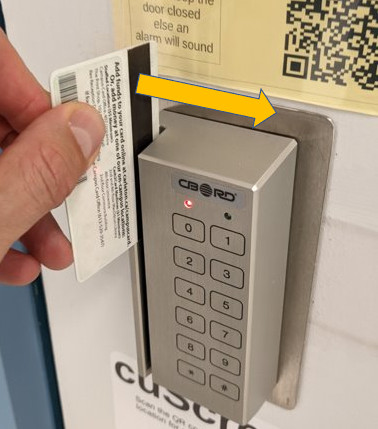
Swipe your card
Please use your Campus card and swipe the CBORD reader with the magnetic stripe facing towards the reader. When successful the door will unlock and the reader LED turns from red to green.
Tips:
- Campus card magnetic stripe faces towards the reader
- Don’t swipe too slow or very fast
- Swipe card in an up to down motion
- Make sure your magnetic stripe is clean. You can clean the magnetic stripe of your card with a soft cloth and water.
Tap your card
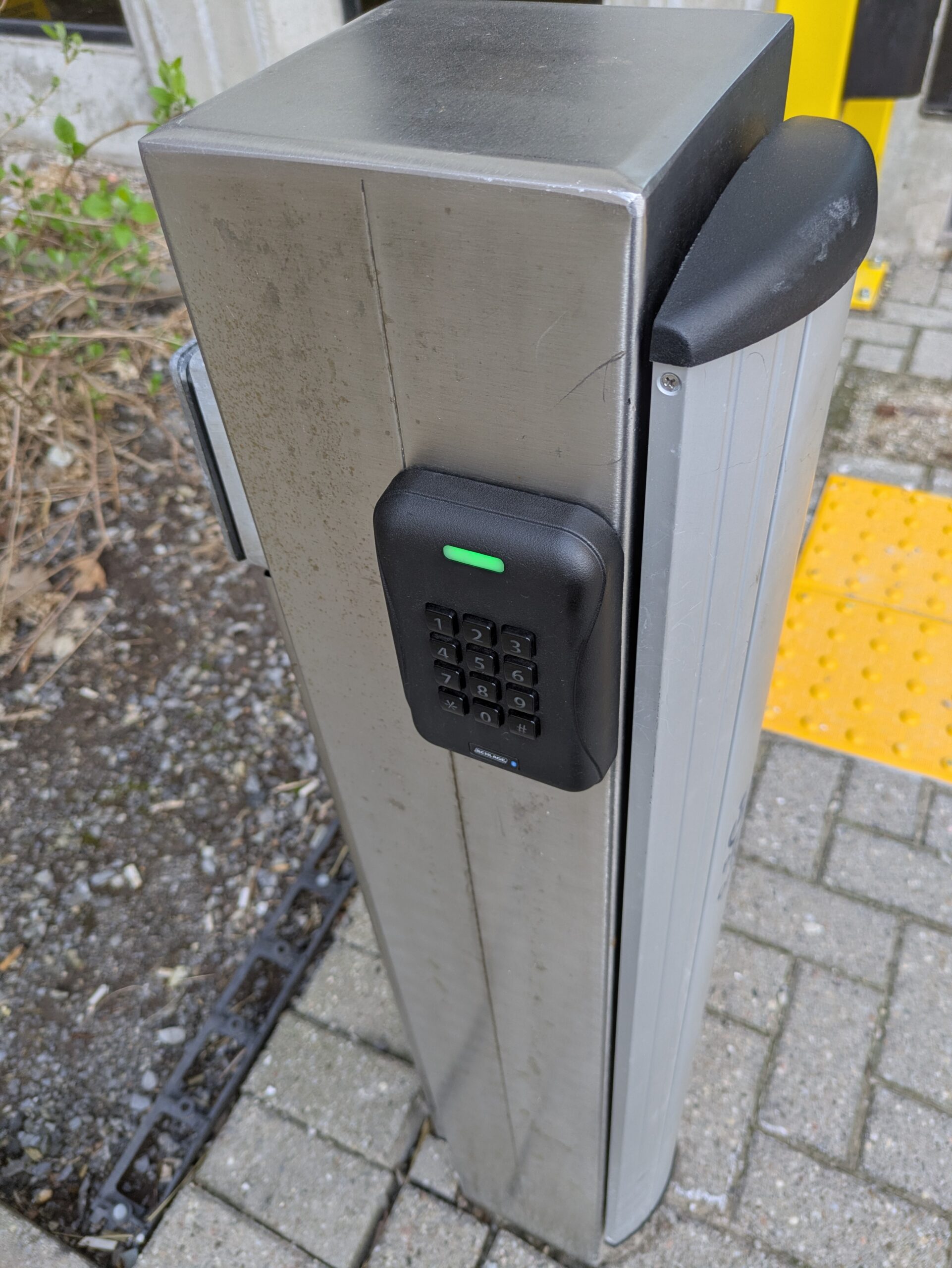
The university is transitioning to contactless CBORD/card readers. At this time all perimeter Herzberg access card readers are equipped with contactless/chip readers. They are simple to use just tap your card and the door will open.
I tapped my card and the door won’t open
- If your campus card was issued before 2024 then it does not have a chip. Please see the campus card office and have your card replaced. – Campus Card Office
- How can I check if my card has a chip? – See Chipcards
- I have a chip-card but the door won’t open. – You can report the issue and request help by filling out this SCS form: Access card issue form
Using the PIN number
Here is how you use the CBORD PIN:
- Swipe your card
- Enter Pin number
- Press #
- Door will unlock if Pin is correct
You can manage your PIN at Carleton Central or using Campus Card Web Centre
You do not need to worry about entering a PIN number unless the reader indicates a PIN is required. When the red and green LED’s flash that indicates the reader is waiting for you to enter your PIN. Most SCS locations DO NOT require you to enter a PIN.
Chipcards
The university has introduced chipcard readers. Starting in 2024 all new campus cards will have a chip inside it that you will be able to use for these readers. How can you tell if your card has a chip? Look for the ‘Schlage’ logo and a serial number beside the mag-stripe:
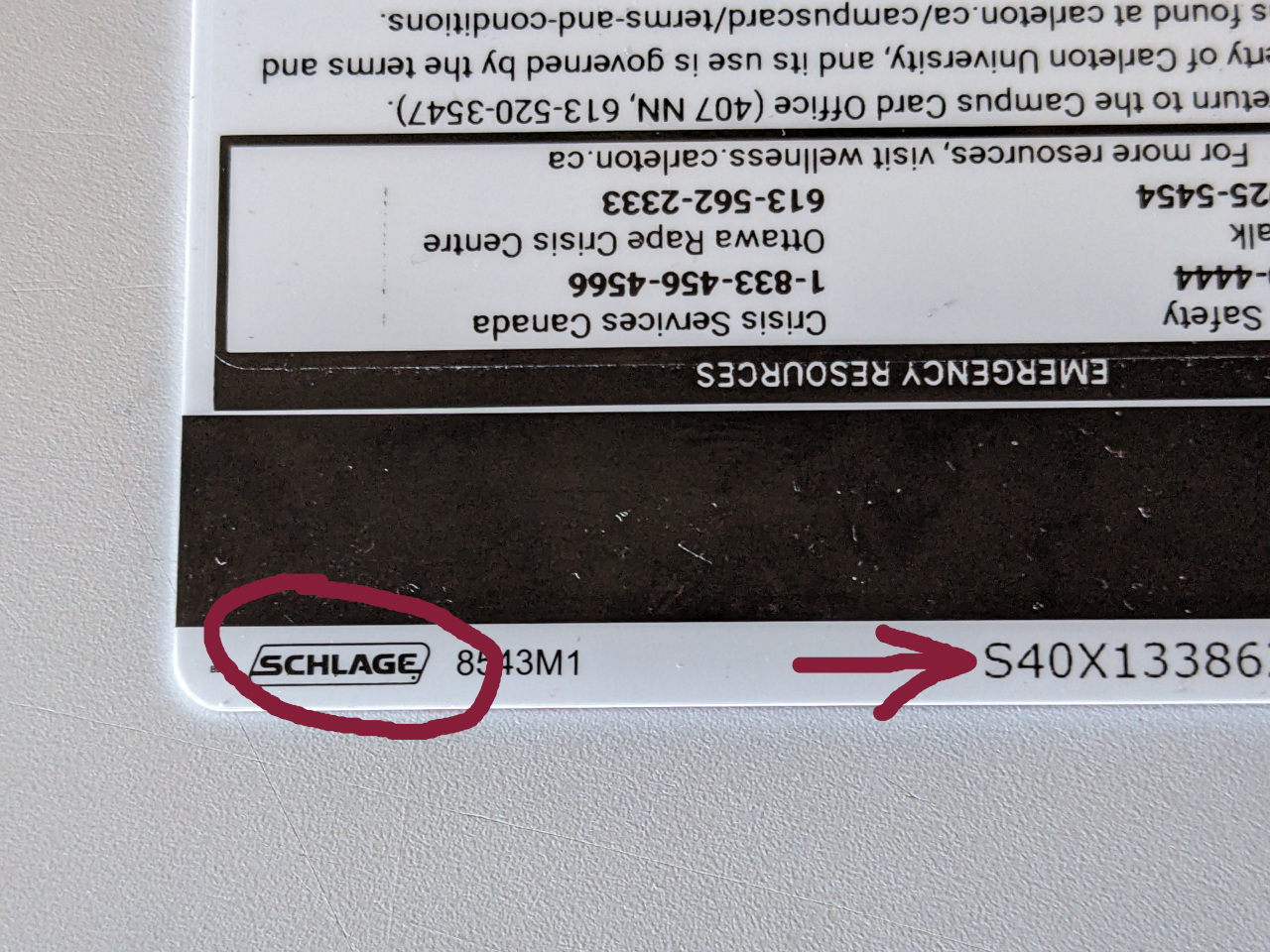
If you require a campus card chip and you don’t have one then visit the campus card office and replace your card.
Troubleshooting
Swipe your card and listen to the reader:
- It should beep if it registered your swipe. No beep, try to swipe the card again.
- It beeps but the LED is red then you don’t have access to the room. Request access to computer lab
If the LED light is toggling you need a PIN number to proceed! How to use the CBORD PIN
If a solid green LED is lit on the CBORD reader then the lab is unlocked. Simply push the door open. In most cases the LED is red and you require to swipe-in!
Check your Campus card magnetic stripe. Is it scratched or dirty? Is your card old or damaged? You can have it replaced by visiting the Campus Card Office.