Microsoft 365
The well-known productivity software, previously called Microsoft Office, allowing document editing (Word), spreadsheet creation (Excel), presentation authoring (PowerPoint), and more on desktop or through the web.
Table of Contents
Microsoft Outlook has a dedicated page
Accessing Microsoft 365
The Microsoft 365 application suite is installed by default on all CUNET Windows 11 computers, and can be launched from the Start menu.
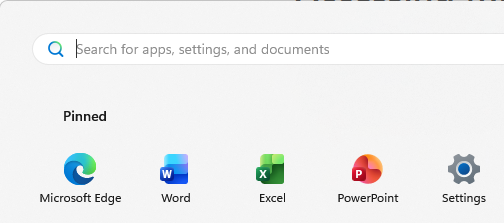
In addition to the frequently used applications of Word, Excel, PowerPoint, and Outlook, the University installs Access, OneNote, and Publisher. These extra applications handle database creation, note-taking, and document layout, respectively.
Web versions of some of the applications are available at the My Apps portal.
Carleton Resources
Learning and Development Hosted Microsoft Training
Microsoft Resources
Word
Word help & learning
Share and collaborate with Word for the web
Collaborate on Word documents with real-time co-authoring
Track changes in Word
Using Modern comments in Word
Excel
Excel help & learning
Use Excel as your calculator (features introduction)
Collaborate on Excel workbooks at the same time with co-authoring
Overview of formulas in Excel
Calculate the difference between two dates (advanced formula introduction)
Create a PivotTable to analyze worksheet data
Lock or unlock specific areas of a protected worksheet
PowerPoint
PowerPoint help & learning
Create a presentation in PowerPoint
Design your slides
Work together on PowerPoint presentations
Share a link to a specific slide
Rehearse your slide show with Speaker Coach
Suggestions from Speaker Coach
Other apps
Microsoft Training
Excel
Learning Path:
Understand data concepts
Data is key to most business operations and services and an understanding of data is essential in many roles. This learning path covers data concepts, data analytics, and data roles, services, and products.
Modules in Learning Path:
Get started with data concepts
Businesses rely on data. Understanding data is key to many business operations. This module covers what data is, when to sort and filter data, and when to calculate derived values from data.
Get started with data analytics
Converting raw data to useful information is essential for business users. This module covers fundamental concepts of aggregating data and grouping data.
Understand data roles, services, and products
Data is so widespread that many services and roles are needed to manage the data of an organization. This module covers types of data products, Azure data services, and the roles of data professionals.