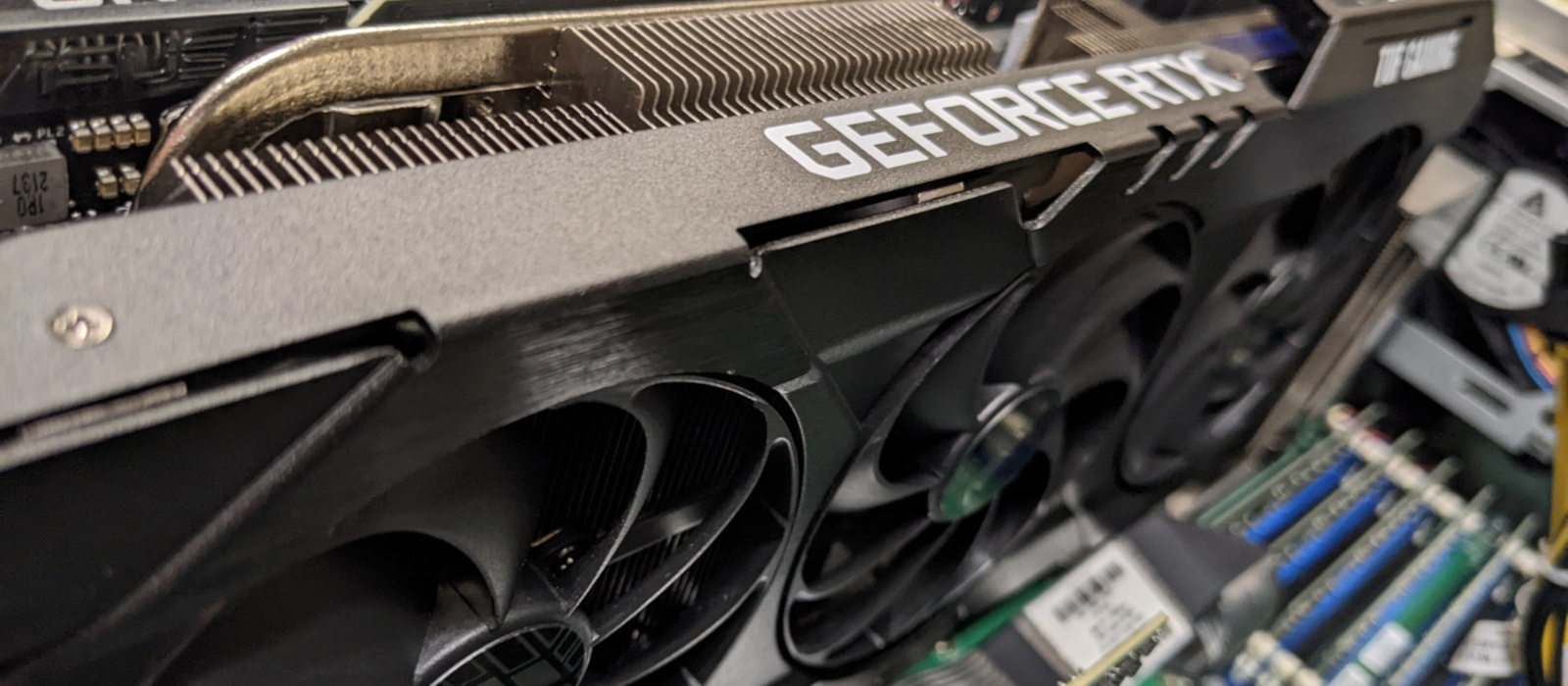
GPU VM Account Details
Testing the GPU VM software
This page will show you how to test your virtual machine’s GPU and access and test the software that is pre-installed on it.
GPU VM Account Details
- Image Information
-
Image Name: scs-gpu-fall-2022
Creation Date: June 8, 2022
Operating System: Ubuntu 22.04
Window Manager: XFCE
Intended usage: Openstack GPU virtual machine with AI programming support
- Account
-
Accessing your GPU Virtual MachineYou will be given a username and password once your VM is ready.
Please change your password as soon as the VM is provisioned for you. This can be done by logging into your VM and then opening a terminal window and typing ‘passwd’.
Please note:
- Change the default password for your account!
- Your account does not have Openstack dashboard access. Access is by IP address only.
- There are no system backups for your VM, that is, you are responsible for your own backups!
- Accessing your GPU Virtual Machine
-
1. From outside of Carleton you will need to VPN to Carleton in order to access the VM
- VPN: Carleton VPN when connecting from outside of the campus
2. Listed are the ways you can connect to your VM:
- x2go (graphical desktop): download x2go client to get a full graphical desktop (use Session Type: XFCE). More info: SSH Connection with x2go Remote Desktop Client
- ssh (command line): use a terminal window to gain ssh access
- System Administration
-
- You have full root/sudo privileges on your GPU VM.
- You can restart your VM using the ‘reboot’ command
- If you shutdown your VM then you need to contact an SCS Sysadmin to Start the VM for you
- If your VM is in an unusable state or it is difficult to fix errors then you have the option to re-launch your VM. Please contact the SCS System Administrator to re-launch the VM for you. Re-launching it means terminating the VM (you lose all local data) and launching a new instance.
- Sometimes the VM is not accessible via x2go but you can access it using an ssh terminal like putty
- Software
-
This is the tested software installed on this virtual machine.
Software Version NVIDIA Driver Ver. 11.6 CUDA Runtime 11.7 cuDNN 8.4.0 Python 3.10.4 Pip3 22.1.1 GCC 11.2.0 Tensorflow 2.9.1 Python-torch 1.8.0 Keras 2.9.0 Keras-processing 1.1.2 Pandas 1.4.2 Numpy 1.22.4
Testing the GPU VM software
Probing your GPU
This command allows you test if the GPU is being detected, identifies the GPU and shows any running jobs, utilisation, and memory usage in real time:
nvidia-smi -l
Testing CUDA
There are CUDA samples that you can download, compile and run for your version of CUDA. These samples have been compiled for you in your account. One of the samples probes your GPU and gives you detailed spec’s about it. You can try to run this sample code in your account (long output):
cuda-samples/Samples/1_Utilities/deviceQuery/deviceQuery
- CUDA Sample code output
-
CUDA Device Query (Runtime API) version (CUDART static linking)
Detected 1 CUDA Capable device(s)
Device 0: “NVIDIA GeForce RTX 2080 SUPER”
CUDA Driver Version / Runtime Version 11.6 / 11.7
CUDA Capability Major/Minor version number: 7.5
Total amount of global memory: 7982 MBytes (8369930240 bytes)
(048) Multiprocessors, (064) CUDA Cores/MP: 3072 CUDA Cores
GPU Max Clock rate: 1815 MHz (1.81 GHz)
Memory Clock rate: 7751 Mhz
Memory Bus Width: 256-bit
L2 Cache Size: 4194304 bytes
Maximum Texture Dimension Size (x,y,z) 1D=(131072), 2D=(131072, 65536), 3D=(16384, 16384, 16384)
Maximum Layered 1D Texture Size, (num) layers 1D=(32768), 2048 layers
Maximum Layered 2D Texture Size, (num) layers 2D=(32768, 32768), 2048 layers
Total amount of constant memory: 65536 bytes
Total amount of shared memory per block: 49152 bytes
Total shared memory per multiprocessor: 65536 bytes
Total number of registers available per block: 65536
Warp size: 32
Maximum number of threads per multiprocessor: 1024
Maximum number of threads per block: 1024
Max dimension size of a thread block (x,y,z): (1024, 1024, 64)
Max dimension size of a grid size (x,y,z): (2147483647, 65535, 65535)
Maximum memory pitch: 2147483647 bytes
Texture alignment: 512 bytes
Concurrent copy and kernel execution: Yes with 3 copy engine(s)
Run time limit on kernels: No
Integrated GPU sharing Host Memory: No
Support host page-locked memory mapping: Yes
Alignment requirement for Surfaces: Yes
Device has ECC support: Disabled
Device supports Unified Addressing (UVA): Yes
Device supports Managed Memory: Yes
Device supports Compute Preemption: Yes
Supports Cooperative Kernel Launch: Yes
Supports MultiDevice Co-op Kernel Launch: Yes
Device PCI Domain ID / Bus ID / location ID: 0 / 0 / 5
Compute Mode:
< Default (multiple host threads can use ::cudaSetDevice() with device simultaneously) >deviceQuery, CUDA Driver = CUDART, CUDA Driver Version = 11.6, CUDA Runtime Version = 11.7, NumDevs = 1
Result = PASS
Check CuDNN Installation
If the file exists then you will have CuDNN installed:
cat /usr/local/cuda/include/cudnn_version.h | grep CUDNN_MAJOR -A 2
You can also run sample code:
cd /usr/src/cudnn_samples_v8/mnistCUDNN

./mnistCUDNN
- CuDNN Sample code output
-
Executing: mnistCUDNN
cudnnGetVersion() : 8303 , CUDNN_VERSION from cudnn.h : 8303 (8.3.3)
Host compiler version : GCC 11.2.0There are 1 CUDA capable devices on your machine :
device 0 : sms 48 Capabilities 7.5, SmClock 1815.0 Mhz, MemSize (Mb) 7982, MemClock 7751.0 Mhz, Ecc=0, boardGroupID=0
Using device 0Testing single precision
Loading binary file data/conv1.bin
Loading binary file data/conv1.bias.bin
Loading binary file data/conv2.bin
Loading binary file data/conv2.bias.bin
Loading binary file data/ip1.bin
Loading binary file data/ip1.bias.bin
Loading binary file data/ip2.bin
Loading binary file data/ip2.bias.bin
Loading image data/one_28x28.pgm
Performing forward propagation …
Testing cudnnGetConvolutionForwardAlgorithm_v7 …
^^^^ CUDNN_STATUS_SUCCESS for Algo 1: -1.000000 time requiring 0 memory
^^^^ CUDNN_STATUS_SUCCESS for Algo 0: -1.000000 time requiring 0 memory
^^^^ CUDNN_STATUS_SUCCESS for Algo 2: -1.000000 time requiring 57600 memory
^^^^ CUDNN_STATUS_SUCCESS for Algo 5: -1.000000 time requiring 178432 memory
^^^^ CUDNN_STATUS_SUCCESS for Algo 4: -1.000000 time requiring 184784 memory
^^^^ CUDNN_STATUS_SUCCESS for Algo 7: -1.000000 time requiring 2057744 memory
^^^^ CUDNN_STATUS_NOT_SUPPORTED for Algo 6: -1.000000 time requiring 0 memory
^^^^ CUDNN_STATUS_NOT_SUPPORTED for Algo 3: -1.000000 time requiring 0 memory
Testing cudnnFindConvolutionForwardAlgorithm …
^^^^ CUDNN_STATUS_SUCCESS for Algo 1: 0.045056 time requiring 0 memory
^^^^ CUDNN_STATUS_SUCCESS for Algo 0: 0.045792 time requiring 0 memory
^^^^ CUDNN_STATUS_SUCCESS for Algo 2: 0.103648 time requiring 57600 memory
^^^^ CUDNN_STATUS_SUCCESS for Algo 5: 0.155648 time requiring 178432 memory
^^^^ CUDNN_STATUS_SUCCESS for Algo 7: 0.222272 time requiring 2057744 memory
^^^^ CUDNN_STATUS_SUCCESS for Algo 4: 0.407360 time requiring 184784 memory
^^^^ CUDNN_STATUS_NOT_SUPPORTED for Algo 6: -1.000000 time requiring 0 memory
^^^^ CUDNN_STATUS_NOT_SUPPORTED for Algo 3: -1.000000 time requiring 0 memory
Testing cudnnGetConvolutionForwardAlgorithm_v7 …
^^^^ CUDNN_STATUS_SUCCESS for Algo 4: -1.000000 time requiring 2450080 memory
^^^^ CUDNN_STATUS_SUCCESS for Algo 5: -1.000000 time requiring 4656640 memory
^^^^ CUDNN_STATUS_SUCCESS for Algo 1: -1.000000 time requiring 2000 memory
^^^^ CUDNN_STATUS_SUCCESS for Algo 0: -1.000000 time requiring 0 memory
^^^^ CUDNN_STATUS_SUCCESS for Algo 7: -1.000000 time requiring 1433120 memory
^^^^ CUDNN_STATUS_SUCCESS for Algo 2: -1.000000 time requiring 128000 memory
^^^^ CUDNN_STATUS_NOT_SUPPORTED for Algo 6: -1.000000 time requiring 0 memory
^^^^ CUDNN_STATUS_NOT_SUPPORTED for Algo 3: -1.000000 time requiring 0 memory
Testing cudnnFindConvolutionForwardAlgorithm …
^^^^ CUDNN_STATUS_SUCCESS for Algo 0: 0.065536 time requiring 0 memory
^^^^ CUDNN_STATUS_SUCCESS for Algo 1: 0.086368 time requiring 2000 memory
^^^^ CUDNN_STATUS_SUCCESS for Algo 2: 0.087712 time requiring 128000 memory
^^^^ CUDNN_STATUS_SUCCESS for Algo 7: 0.141056 time requiring 1433120 memory
^^^^ CUDNN_STATUS_SUCCESS for Algo 5: 0.143360 time requiring 4656640 memory
^^^^ CUDNN_STATUS_SUCCESS for Algo 4: 0.191616 time requiring 2450080 memory
^^^^ CUDNN_STATUS_NOT_SUPPORTED for Algo 6: -1.000000 time requiring 0 memory
^^^^ CUDNN_STATUS_NOT_SUPPORTED for Algo 3: -1.000000 time requiring 0 memory
Resulting weights from Softmax:
0.0000000 0.9999399 0.0000000 0.0000000 0.0000561 0.0000000 0.0000012 0.0000017 0.0000010 0.0000000
Loading image data/three_28x28.pgm
Performing forward propagation …
Testing cudnnGetConvolutionForwardAlgorithm_v7 …
^^^^ CUDNN_STATUS_SUCCESS for Algo 1: -1.000000 time requiring 0 memory
^^^^ CUDNN_STATUS_SUCCESS for Algo 0: -1.000000 time requiring 0 memory
^^^^ CUDNN_STATUS_SUCCESS for Algo 2: -1.000000 time requiring 57600 memory
^^^^ CUDNN_STATUS_SUCCESS for Algo 5: -1.000000 time requiring 178432 memory
^^^^ CUDNN_STATUS_SUCCESS for Algo 4: -1.000000 time requiring 184784 memory
^^^^ CUDNN_STATUS_SUCCESS for Algo 7: -1.000000 time requiring 2057744 memory
^^^^ CUDNN_STATUS_NOT_SUPPORTED for Algo 6: -1.000000 time requiring 0 memory
^^^^ CUDNN_STATUS_NOT_SUPPORTED for Algo 3: -1.000000 time requiring 0 memory
Testing cudnnFindConvolutionForwardAlgorithm …
^^^^ CUDNN_STATUS_SUCCESS for Algo 0: 0.040960 time requiring 0 memory
^^^^ CUDNN_STATUS_SUCCESS for Algo 1: 0.043232 time requiring 0 memory
^^^^ CUDNN_STATUS_SUCCESS for Algo 2: 0.076064 time requiring 57600 memory
^^^^ CUDNN_STATUS_SUCCESS for Algo 7: 0.104064 time requiring 2057744 memory
^^^^ CUDNN_STATUS_SUCCESS for Algo 4: 0.135072 time requiring 184784 memory
^^^^ CUDNN_STATUS_SUCCESS for Algo 5: 0.136448 time requiring 178432 memory
^^^^ CUDNN_STATUS_NOT_SUPPORTED for Algo 6: -1.000000 time requiring 0 memory
^^^^ CUDNN_STATUS_NOT_SUPPORTED for Algo 3: -1.000000 time requiring 0 memory
Testing cudnnGetConvolutionForwardAlgorithm_v7 …
^^^^ CUDNN_STATUS_SUCCESS for Algo 4: -1.000000 time requiring 2450080 memory
^^^^ CUDNN_STATUS_SUCCESS for Algo 5: -1.000000 time requiring 4656640 memory
^^^^ CUDNN_STATUS_SUCCESS for Algo 1: -1.000000 time requiring 2000 memory
^^^^ CUDNN_STATUS_SUCCESS for Algo 0: -1.000000 time requiring 0 memory
^^^^ CUDNN_STATUS_SUCCESS for Algo 7: -1.000000 time requiring 1433120 memory
^^^^ CUDNN_STATUS_SUCCESS for Algo 2: -1.000000 time requiring 128000 memory
^^^^ CUDNN_STATUS_NOT_SUPPORTED for Algo 6: -1.000000 time requiring 0 memory
^^^^ CUDNN_STATUS_NOT_SUPPORTED for Algo 3: -1.000000 time requiring 0 memory
Testing cudnnFindConvolutionForwardAlgorithm …
^^^^ CUDNN_STATUS_SUCCESS for Algo 0: 0.061952 time requiring 0 memory
^^^^ CUDNN_STATUS_SUCCESS for Algo 1: 0.079872 time requiring 2000 memory
^^^^ CUDNN_STATUS_SUCCESS for Algo 2: 0.088064 time requiring 128000 memory
^^^^ CUDNN_STATUS_SUCCESS for Algo 7: 0.116736 time requiring 1433120 memory
^^^^ CUDNN_STATUS_SUCCESS for Algo 4: 0.141312 time requiring 2450080 memory
^^^^ CUDNN_STATUS_SUCCESS for Algo 5: 0.156608 time requiring 4656640 memory
^^^^ CUDNN_STATUS_NOT_SUPPORTED for Algo 6: -1.000000 time requiring 0 memory
^^^^ CUDNN_STATUS_NOT_SUPPORTED for Algo 3: -1.000000 time requiring 0 memory
Resulting weights from Softmax:
0.0000000 0.0000000 0.0000000 0.9999288 0.0000000 0.0000711 0.0000000 0.0000000 0.0000000 0.0000000
Loading image data/five_28x28.pgm
Performing forward propagation …
Resulting weights from Softmax:
0.0000000 0.0000008 0.0000000 0.0000002 0.0000000 0.9999820 0.0000154 0.0000000 0.0000012 0.0000006Result of classification: 1 3 5
Test passed!
Testing half precision (math in single precision)
Loading binary file data/conv1.bin
Loading binary file data/conv1.bias.bin
Loading binary file data/conv2.bin
Loading binary file data/conv2.bias.bin
Loading binary file data/ip1.bin
Loading binary file data/ip1.bias.bin
Loading binary file data/ip2.bin
Loading binary file data/ip2.bias.bin
Loading image data/one_28x28.pgm
Performing forward propagation …
Testing cudnnGetConvolutionForwardAlgorithm_v7 …
^^^^ CUDNN_STATUS_SUCCESS for Algo 1: -1.000000 time requiring 0 memory
^^^^ CUDNN_STATUS_SUCCESS for Algo 0: -1.000000 time requiring 0 memory
^^^^ CUDNN_STATUS_SUCCESS for Algo 2: -1.000000 time requiring 0 memory
^^^^ CUDNN_STATUS_SUCCESS for Algo 5: -1.000000 time requiring 178432 memory
^^^^ CUDNN_STATUS_SUCCESS for Algo 4: -1.000000 time requiring 184784 memory
^^^^ CUDNN_STATUS_SUCCESS for Algo 7: -1.000000 time requiring 2057744 memory
^^^^ CUDNN_STATUS_NOT_SUPPORTED for Algo 6: -1.000000 time requiring 0 memory
^^^^ CUDNN_STATUS_NOT_SUPPORTED for Algo 3: -1.000000 time requiring 0 memory
Testing cudnnFindConvolutionForwardAlgorithm …
^^^^ CUDNN_STATUS_SUCCESS for Algo 0: 0.041760 time requiring 0 memory
^^^^ CUDNN_STATUS_SUCCESS for Algo 1: 0.043552 time requiring 0 memory
^^^^ CUDNN_STATUS_SUCCESS for Algo 2: 0.045792 time requiring 0 memory
^^^^ CUDNN_STATUS_SUCCESS for Algo 7: 0.110592 time requiring 2057744 memory
^^^^ CUDNN_STATUS_SUCCESS for Algo 5: 0.129056 time requiring 178432 memory
^^^^ CUDNN_STATUS_SUCCESS for Algo 4: 0.155648 time requiring 184784 memory
^^^^ CUDNN_STATUS_NOT_SUPPORTED for Algo 6: -1.000000 time requiring 0 memory
^^^^ CUDNN_STATUS_NOT_SUPPORTED for Algo 3: -1.000000 time requiring 0 memory
Testing cudnnGetConvolutionForwardAlgorithm_v7 …
^^^^ CUDNN_STATUS_SUCCESS for Algo 1: -1.000000 time requiring 0 memory
^^^^ CUDNN_STATUS_SUCCESS for Algo 0: -1.000000 time requiring 0 memory
^^^^ CUDNN_STATUS_SUCCESS for Algo 2: -1.000000 time requiring 64000 memory
^^^^ CUDNN_STATUS_SUCCESS for Algo 5: -1.000000 time requiring 4656640 memory
^^^^ CUDNN_STATUS_SUCCESS for Algo 4: -1.000000 time requiring 2450080 memory
^^^^ CUDNN_STATUS_SUCCESS for Algo 7: -1.000000 time requiring 1433120 memory
^^^^ CUDNN_STATUS_NOT_SUPPORTED for Algo 6: -1.000000 time requiring 0 memory
^^^^ CUDNN_STATUS_NOT_SUPPORTED for Algo 3: -1.000000 time requiring 0 memory
Testing cudnnFindConvolutionForwardAlgorithm …
^^^^ CUDNN_STATUS_SUCCESS for Algo 0: 0.086784 time requiring 0 memory
^^^^ CUDNN_STATUS_SUCCESS for Algo 2: 0.091136 time requiring 64000 memory
^^^^ CUDNN_STATUS_SUCCESS for Algo 1: 0.100032 time requiring 0 memory
^^^^ CUDNN_STATUS_SUCCESS for Algo 7: 0.151584 time requiring 1433120 memory
^^^^ CUDNN_STATUS_SUCCESS for Algo 5: 0.164160 time requiring 4656640 memory
^^^^ CUDNN_STATUS_SUCCESS for Algo 4: 0.167936 time requiring 2450080 memory
^^^^ CUDNN_STATUS_NOT_SUPPORTED for Algo 6: -1.000000 time requiring 0 memory
^^^^ CUDNN_STATUS_NOT_SUPPORTED for Algo 3: -1.000000 time requiring 0 memory
Resulting weights from Softmax:
0.0000001 1.0000000 0.0000001 0.0000000 0.0000563 0.0000001 0.0000012 0.0000017 0.0000010 0.0000001
Loading image data/three_28x28.pgm
Performing forward propagation …
Testing cudnnGetConvolutionForwardAlgorithm_v7 …
^^^^ CUDNN_STATUS_SUCCESS for Algo 1: -1.000000 time requiring 0 memory
^^^^ CUDNN_STATUS_SUCCESS for Algo 0: -1.000000 time requiring 0 memory
^^^^ CUDNN_STATUS_SUCCESS for Algo 2: -1.000000 time requiring 0 memory
^^^^ CUDNN_STATUS_SUCCESS for Algo 5: -1.000000 time requiring 178432 memory
^^^^ CUDNN_STATUS_SUCCESS for Algo 4: -1.000000 time requiring 184784 memory
^^^^ CUDNN_STATUS_SUCCESS for Algo 7: -1.000000 time requiring 2057744 memory
^^^^ CUDNN_STATUS_NOT_SUPPORTED for Algo 6: -1.000000 time requiring 0 memory
^^^^ CUDNN_STATUS_NOT_SUPPORTED for Algo 3: -1.000000 time requiring 0 memory
Testing cudnnFindConvolutionForwardAlgorithm …
^^^^ CUDNN_STATUS_SUCCESS for Algo 2: 0.032544 time requiring 0 memory
^^^^ CUDNN_STATUS_SUCCESS for Algo 0: 0.040544 time requiring 0 memory
^^^^ CUDNN_STATUS_SUCCESS for Algo 1: 0.045824 time requiring 0 memory
^^^^ CUDNN_STATUS_SUCCESS for Algo 5: 0.112160 time requiring 178432 memory
^^^^ CUDNN_STATUS_SUCCESS for Algo 4: 0.118624 time requiring 184784 memory
^^^^ CUDNN_STATUS_SUCCESS for Algo 7: 0.143264 time requiring 2057744 memory
^^^^ CUDNN_STATUS_NOT_SUPPORTED for Algo 6: -1.000000 time requiring 0 memory
^^^^ CUDNN_STATUS_NOT_SUPPORTED for Algo 3: -1.000000 time requiring 0 memory
Testing cudnnGetConvolutionForwardAlgorithm_v7 …
^^^^ CUDNN_STATUS_SUCCESS for Algo 1: -1.000000 time requiring 0 memory
^^^^ CUDNN_STATUS_SUCCESS for Algo 0: -1.000000 time requiring 0 memory
^^^^ CUDNN_STATUS_SUCCESS for Algo 2: -1.000000 time requiring 64000 memory
^^^^ CUDNN_STATUS_SUCCESS for Algo 5: -1.000000 time requiring 4656640 memory
^^^^ CUDNN_STATUS_SUCCESS for Algo 4: -1.000000 time requiring 2450080 memory
^^^^ CUDNN_STATUS_SUCCESS for Algo 7: -1.000000 time requiring 1433120 memory
^^^^ CUDNN_STATUS_NOT_SUPPORTED for Algo 6: -1.000000 time requiring 0 memory
^^^^ CUDNN_STATUS_NOT_SUPPORTED for Algo 3: -1.000000 time requiring 0 memory
Testing cudnnFindConvolutionForwardAlgorithm …
^^^^ CUDNN_STATUS_SUCCESS for Algo 0: 0.085632 time requiring 0 memory
^^^^ CUDNN_STATUS_SUCCESS for Algo 2: 0.089536 time requiring 64000 memory
^^^^ CUDNN_STATUS_SUCCESS for Algo 1: 0.097856 time requiring 0 memory
^^^^ CUDNN_STATUS_SUCCESS for Algo 5: 0.165888 time requiring 4656640 memory
^^^^ CUDNN_STATUS_SUCCESS for Algo 7: 0.174080 time requiring 1433120 memory
^^^^ CUDNN_STATUS_SUCCESS for Algo 4: 0.176128 time requiring 2450080 memory
^^^^ CUDNN_STATUS_NOT_SUPPORTED for Algo 6: -1.000000 time requiring 0 memory
^^^^ CUDNN_STATUS_NOT_SUPPORTED for Algo 3: -1.000000 time requiring 0 memory
Resulting weights from Softmax:
0.0000000 0.0000000 0.0000000 1.0000000 0.0000000 0.0000714 0.0000000 0.0000000 0.0000000 0.0000000
Loading image data/five_28x28.pgm
Performing forward propagation …
Resulting weights from Softmax:
0.0000000 0.0000008 0.0000000 0.0000002 0.0000000 1.0000000 0.0000154 0.0000000 0.0000012 0.0000006Result of classification: 1 3 5
Test passed!
Check Tensorflow
Version:
python3 -c 'import tensorflow as tf; print(tf.__version__)'
AI Benchmark
Test using Ai benchmark (may take 20 minutes):
python3 -c 'from ai_benchmark import AIBenchmark;benchmark = AIBenchmark();results = benchmark.run()'
Then lookup the results. The chart will tell you how well your GPU is performing. If its not performing well then you may not be using GPU!
- Successful AIBenchmark output
-
>> AI-Benchmark-v.0.1.2
>> Let the AI Games begin..* TF Version: 2.9.1
* Platform: Linux-5.15.0-37-generic-x86_64-with-glibc2.35
* CPU: N/A
* CPU RAM: 47 GB
* GPU/0: NVIDIA GeForce RTX 2080 SUPER
* GPU RAM: 6.5 GB
* CUDA Version: 11.7
* CUDA Build: V11.7.64The benchmark is running…
The tests might take up to 20 minutes
Please don’t interrupt the script1/19. MobileNet-V2
1.1 – inference | batch=50, size=224×224: 60.8 ± 12.9 ms
1.2 – training | batch=50, size=224×224: 203 ± 2 ms2/19. Inception-V3
2.1 – inference | batch=20, size=346×346: 63.6 ± 2.6 ms
2.2 – training | batch=20, size=346×346: 199 ± 4 ms3/19. Inception-V4
3.1 – inference | batch=10, size=346×346: 62.2 ± 3.8 ms
3.2 – training | batch=10, size=346×346: 216 ± 1 ms4/19. Inception-ResNet-V2
4.1 – inference | batch=10, size=346×346: 85.2 ± 6.2 ms
4.2 – training | batch=8, size=346×346: 232 ± 8 ms5/19. ResNet-V2-50
5.1 – inference | batch=10, size=346×346: 44.0 ± 2.3 ms
5.2 – training | batch=10, size=346×346: 127 ± 1 ms6/19. ResNet-V2-152
6.1 – inference | batch=10, size=256×256: 55.9 ± 2.3 ms
6.2 – training | batch=10, size=256×256: 178 ± 3 ms7/19. VGG-16
7.1 – inference | batch=20, size=224×224: 102 ± 1 ms
7.2 – training | batch=2, size=224×224: 166 ± 1 ms8/19. SRCNN 9-5-5
8.1 – inference | batch=10, size=512×512: 77.3 ± 1.9 ms
8.2 – inference | batch=1, size=1536×1536: 90.8 ± 3.5 ms
8.3 – training | batch=10, size=512×512: 253 ± 4 ms9/19. VGG-19 Super-Res
9.1 – inference | batch=10, size=256×256: 112 ± 3 ms
9.2 – inference | batch=1, size=1024×1024: 178 ± 1 ms
9.3 – training | batch=10, size=224×224: 266.1 ± 0.8 ms10/19. ResNet-SRGAN
10.1 – inference | batch=10, size=512×512: 112 ± 1 ms
10.2 – inference | batch=1, size=1536×1536: 99.7 ± 1.9 ms
10.3 – training | batch=5, size=512×512: 166 ± 3 ms11/19. ResNet-DPED
11.1 – inference | batch=10, size=256×256: 115.0 ± 0.8 ms
11.2 – inference | batch=1, size=1024×1024: 185 ± 4 ms
11.3 – training | batch=15, size=128×128: 185.6 ± 0.7 ms12/19. U-Net
12.1 – inference | batch=4, size=512×512: 216 ± 1 ms
12.2 – inference | batch=1, size=1024×1024: 209.7 ± 1.0 ms
12.3 – training | batch=4, size=256×256: 220 ± 1 ms13/19. Nvidia-SPADE
13.1 – inference | batch=5, size=128×128: 95.4 ± 1.0 ms
13.2 – training | batch=1, size=128×128: 175 ± 1 ms14/19. ICNet
14.1 – inference | batch=5, size=1024×1536: 233 ± 16 ms
14.2 – training | batch=10, size=1024×1536: 776 ± 35 ms15/19. PSPNet
15.1 – inference | batch=5, size=720×720: 415 ± 7 ms
15.2 – training | batch=1, size=512×512: 156 ± 2 ms16/19. DeepLab
16.1 – inference | batch=2, size=512×512: 114 ± 2 ms
16.2 – training | batch=1, size=384×384: 127 ± 4 ms17/19. Pixel-RNN
17.1 – inference | batch=50, size=64×64: 1019 ± 33 ms
17.2 – training | batch=10, size=64×64: 5049 ± 216 ms18/19. LSTM-Sentiment
18.1 – inference | batch=100, size=1024×300: 763 ± 46 ms
18.2 – training | batch=10, size=1024×300: 2314 ± 142 ms19/19. GNMT-Translation
19.1 – inference | batch=1, size=1×20: 271 ± 14 ms
Device Inference Score: 10318
Device Training Score: 10631
Device AI Score: 20949For more information and results, please visit http://ai-benchmark.com/alpha
http://ai-benchmark.com/ranking_deeplearning.html
Please note that is you want to install a different version of tensorflow it can be tricky because it has specific CUDA and CuDNN dependencies. Re-installing them can be problematic!
Check Pytorch
Version:
python3 -c "import torch; print(torch.__version__)"
Test code:
python3 -c 'import torch;x=torch.rand(5,3);print(x)'
Share: Twitter, Facebook
Short URL:
https://carleton.ca/scs/?p=14701