Booth |
Templates |
Form |
Booth:
| The Booth will contain the following elements: | ||
|
|
|

Entering the booth the attendee will be placed into the google slides
There are 2 required project slides that should be created using Illustrator templates below. From Illustrator you can export them as an image or pdf. The slides should be stored on your google account. The slides need to be published to see them in Hopin. Once published, be sure to copy and provide the link that’s inside the popup window.
Publishing Slides to the web – File > Publish to the web menu on the Slides page
| Slide 1 | Slide 2 |
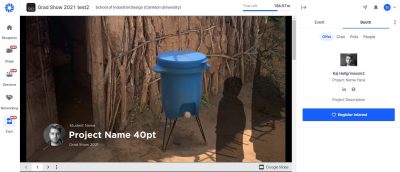 |
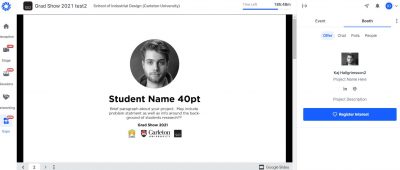 |
| Image of the poster created using the Illustrator templates below.
|
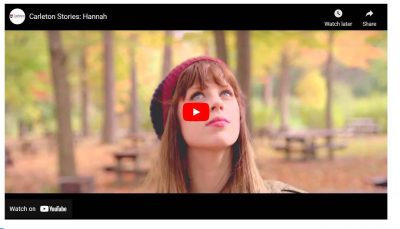
| Link for the video (Youtube, Vimeo, Wistia)
|
| Any additional text, images(can include alt text), and/or videos links you want to display. The text and links should be uploaded in a word or PDF document. Images can be uploaded separately. If images are uploaded separately please indicate where you want them placed. Please keep in mind this is different from a physical event. You have less control over who can see and copy your work so in order to maintain control over your intellectual property please be careful what you share.
|
| You can link to PDF in google docs or OneDrive. When an attendee clicked on the link a new window would open with the PDF and their show window will remain open for them to go back to. If you link to a PDF you will need to set the share to Anyone with the link can view and please make sure that in the share settings you turn off viewer and commenters can see the option to download, print, and copy.
Report – https://docs.google.com/document/d/1GGuYSLA9jbysbSu-ztR0lUOHEkBYI4PaHHAjce3rp6M/edit?usp=sharing For your project report, I would recommend adding a link that sends you an email requesting the report so you control who you are giving your work to. Project Report – mailto:student@cmail.carleton.ca?subject=Requesting Project Report!&body=Please send me the project report for the project name. |
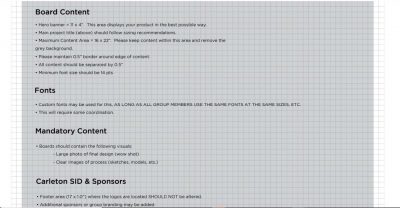

Templates:
Form (submit by April 17th):
Grad Show 2023 - 4th Year Student Information
Student's information and documents for the Grad Show on April 21-22, 2023.