SSH Connection Using the putty SSH Terminal Client
-
Login Credentials: Most of our OpenStack images share the same default credentials:
username: student
password: studentIMPORTANT: New images since (2022/2023) force a password change on the first login.
First Login Scenarios:- TurboVNC WARNING: TurboVNC does NOT support first login password changes, so your first login must use another login tool below
- vscode WARNING: vscode does NOT support first login password changes, so your first login must use another login tool below
- ssh terminal (putty, etc) first login: When you login, you will be redirect to a change password prompt. You will then have to enter the current password (student) again, and then enter your new password twice. When you change your password, it will then log you out and you have to login again with that new password
- x2go first login: When you login, you will be redirect to a change password prompt. You will then have to enter the current password (student) again, and then enter your new password twice. When you change your password, it will then prompt you to click reconnect, at which point you can login again using the new password
- openstack web console first login: When you login, you will be redirect to a change password prompt. You will then have to enter the current password (student) again, and then enter your new password twice. In this case, you stay connected. The next time you login, you will need the new password
WARNING: If you are using an older image (pre-2022) that does not enforce an ssh key or a password change, then we strongly encourage you to immediately change your password or setup an ssh key!
-
Your public floating IP address of your instance will have the form: 134.117.xxx.xxx – If you don’t see the 134.117 part, then you haven’t set up a floating IP address! This IP address is assigned when you run the Associate Floating IP Address command for your instance (via the OpenStack dashboard) Associate Floating IP with an Instance above.
SSH Connection Using an SSH Terminal Client
We recommend using PowerShell on Windows as the quickest way to open an SSH terminal connection, but there are many SSH terminal tools out there you use.
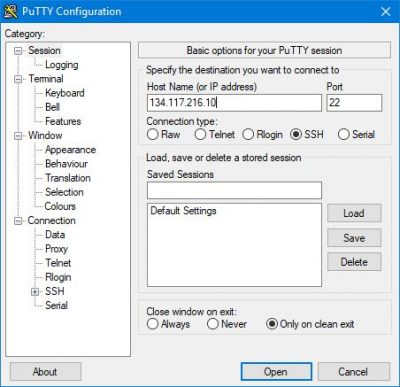
NOTE: This example uses putty, but the settings are the same for any terminal tool that supports SSH.
Putty can be installed through the Windows Store
You can find a video demo of these instructions here: Connect Remotely via a putty terminal (video)
Enter settings into putty:
Enter username / password:
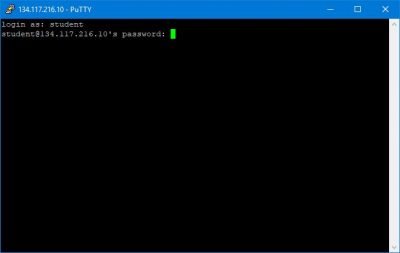
IMPORTANT: – Remember that the first time you login, you will be prompted to change your password. See the Login Credentials section at the top of this page for details.
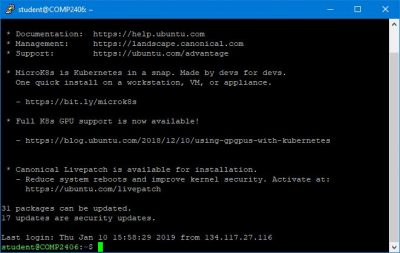
You should see a similar prompt when you successfully connect: