Linux background processes
A Linux background process is defined as being a process that is running independent of the shell or Window Manager. You can leave the shell or exit your Window Manager and the process will keep running with no user interaction.
Use Case
You may want to run a program in the background because that program may take hours maybe days to complete. If you rely on the shell or window manager then that can become problematic! If your job is expected to take many days to complete you don’t want to have an active shell for that time period, that is if the shell is closed your program may be terminated as well!
This article will explain how you can run Linux jobs in the background.
Managing processees
Processees
Everything that you run in Linux is a process! You can manage processes using a number of shell commands.
| Command | Description |
| ps -ef | Display all the running processees |
| top | Real-time process listing sorted by CPU utilization |
| killall | Terminate a process by name |
| kill -9 | Terminate a process |
| screen | A program that allows you to run multiple virtual terminals |
| tmux | Another program that allows you to run multiple virtual terminals |
You can check what processes are running by starting a terminal shell and running the top command:
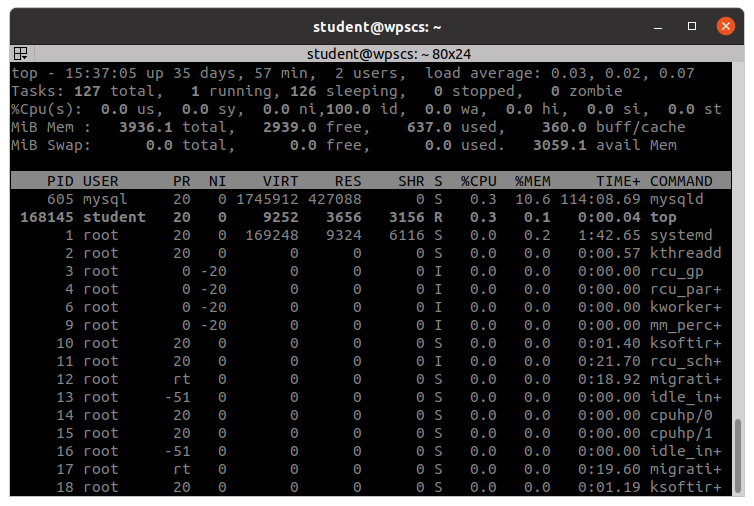
This will sort the most CPU intensive applications at the ‘top’ of the listing. If you care to see all the processes then you can run the ps command.
ps -ef