Birth of an Internet Connection: A noisy rite of passage for the computer buffs of the 1990’s
Before the Internet arrived ‘quietly’ over fibre, cable, or a cellular network, it often announced itself with a noisy screech, not to be confused with mating cats or angry rodents. For many home users in the 90’s, that sound was a rite of passage. You clicked “Connect,” listened hopefully, and waited to discover whether you would be exploring the online world or troubleshooting for the next hour.
The telephone network was the obvious starting point for connecting home computers. Homes already had telephone lines, and a modem could turn computer data into audio-frequency signals that those lines could carry. At the other end, another modem turned the signals back into data. The name itself describes the job: modulator-demodulator.
Our vintage computing group set out to recreate that experience. Not just the connection, but the anticipation, the flashing lights, and, most importantly, the noise. “Two computers walk into a telephone exchange” sounds like the beginning of a joke, but it is also a reasonable description of our project. The recipe was simple: two computers, two modems, and a telephone connection between them.
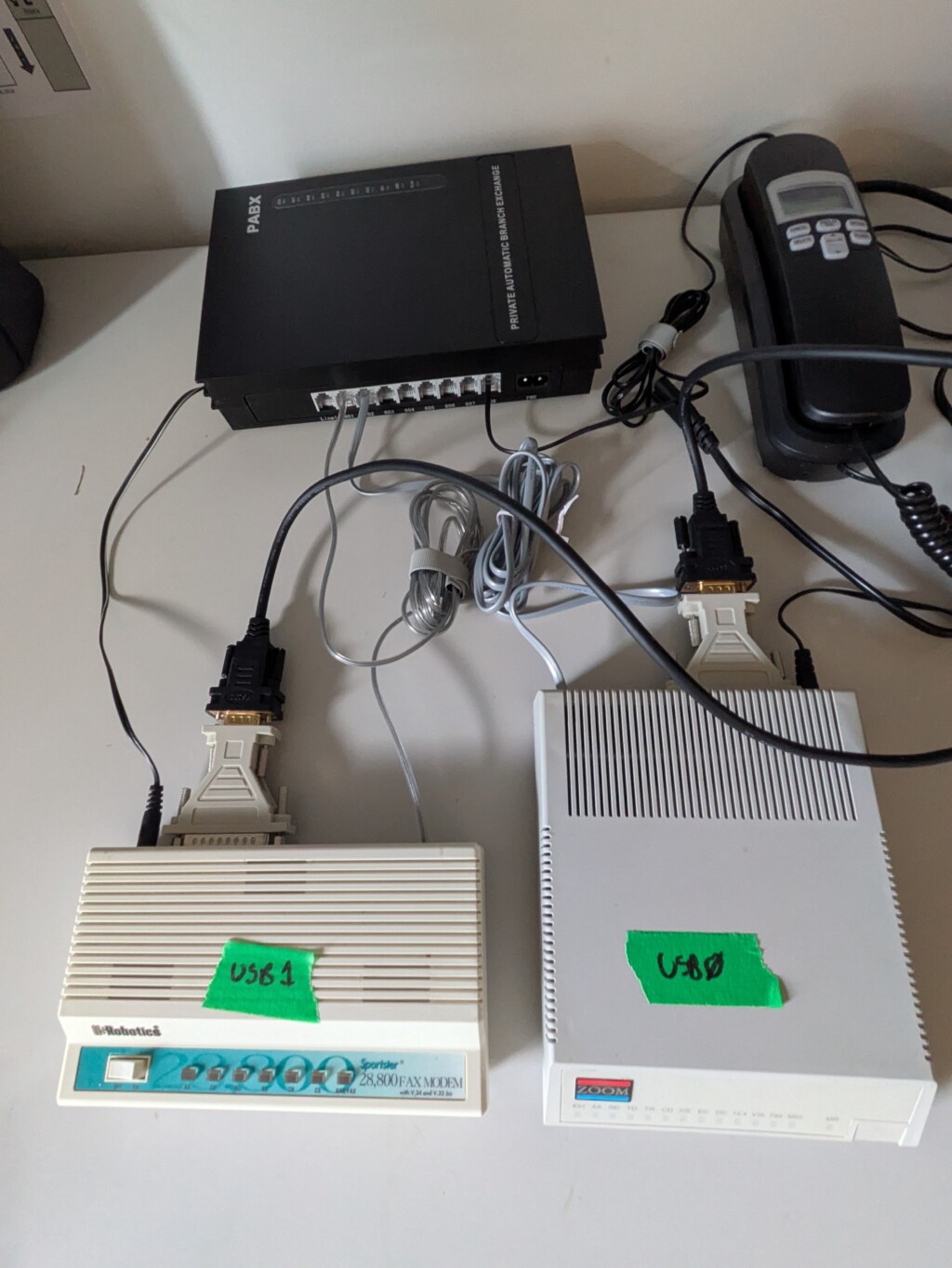
One modem makes the call. The other answers. Then comes the handshake: a series of whistles, chirps, and bursts of seemingly hostile static as the modems establish how they will communicate. It sounds chaotic, but there is a practical conversation happening. Depending on the modem standard, the machines identify compatible capabilities, assess the telephone connection, and negotiate a suitable transmission speed. They are effectively asking, “What do you support, how bad is this line, and how quickly can we talk without making a mess of it?”
To the human listener, this became the unmistakable “dial-up screech.” To the aspiring Internet geek, it was the sound of joy and exploration. To everyone else in the house, it meant the telephone was busy again.
If you were using the family’s only phone line to connect to an Internet provider or dial directly into a friend’s computer, the line was occupied for the duration. Your connection depended not only on technology, but also on nobody else needing to call Grandma.
Recreating the experience today takes a little more planning. Two analog telephone lines can do the job, but an active telephone service is not essential. A suitable PBX: Private Branch Exchange, with analogue extensions can provide a miniature telephone network of your own. Insert eBay and Allibaba Ad here.
Modem brands such as U.S. Robotics, Zoom (not the video-conferencing app – the original Zoom), Hayes, and Motorola will be familiar to anyone who spent time around computers of the period. For our project, external modems were appealing: separate boxes, visible status lights, and a fighting chance of finding the right cable. Besides, a proper vintage computing demonstration should have at least a few blinking LED’s.
Connecting a modem to a computer is its own small adventure. On vintage machines, the required combination depends on the computer: a suitable serial interface, the correct modem cable, and compatible communications software. This is where that box of old cables you have been defending for twenty years finally gets its moment.
For a modern computer, an external RS-232 modem can connect through a suitable USB-to-RS-232 cable, along with the appropriate modem-to-RS-232 adapter. Dust off 2 old telephone cables and connect them to your modems and voila.
On Linux, a terminal program such as picocom let us communicate with the modem. We configure the computer-to-modem serial connection, send commands, and wait for a response. Of course nostalgia comes with configuration settings. Then we make the call. One modem dials, the other answers, and we get to eavesdrop on their electronic introductions.
The whistles begin. The static builds. Somewhere inside two modems, an agreement is reached. Then the terminal reports:
CONNECT
For a moment, it is the 1990’s again.
And please do not pick up the phone.