Applying for Full-Time OSAP for ESP Students
Below are step by step instructions for applying to the Ontario Student Assistance Program (OSAP). These instructions are for Enriched Support Program (ESP) students only. OSAP applications for 2026-27 are now open and we recommend that you complete your OSAP as soon as possible to ensure you get your funding before your classes begin on September 9th, 2026.
Step 1: Start a new Full-time OSAP Application
*You should complete the full-time OSAP application if you are taking a full-time course load with ESP. Enriched Support Program students are considered full time if they are taking two elective courses and a First-Year Seminar (or CIED course) per term.
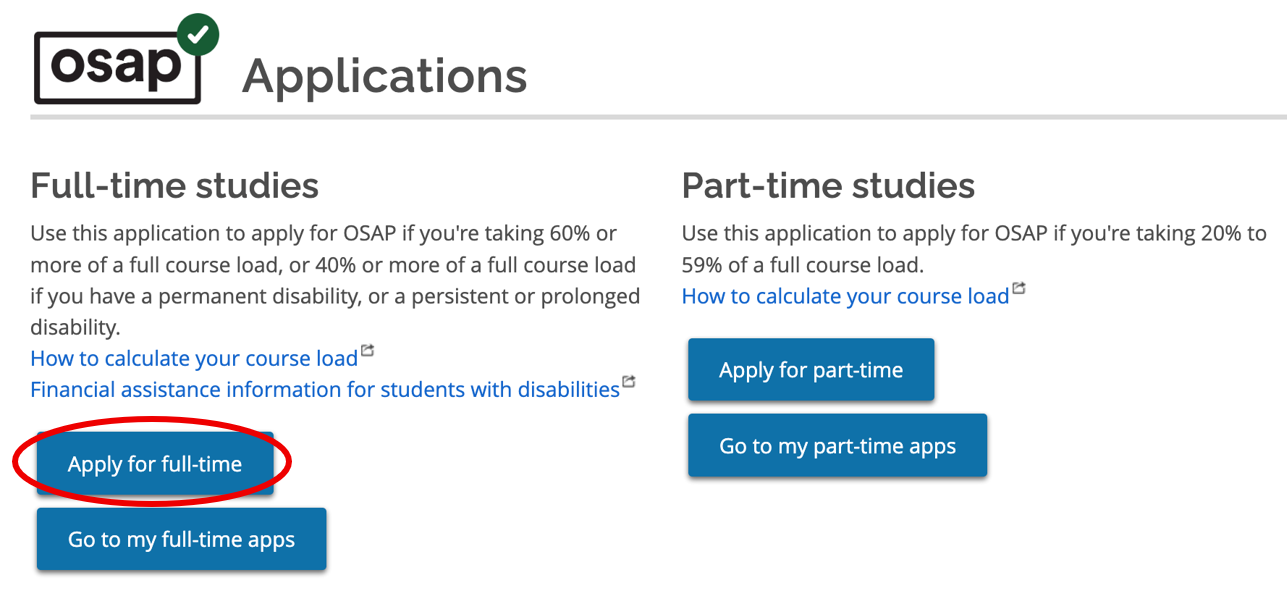
Visit OSAP: Ontario Student Assistance Program to register or log in to your account. When prompted select ‘Apply for full-time”.
When you are asked when your classes start, select September 2026 if you start in the Fall, OR January 2027 if you start in the Winter.
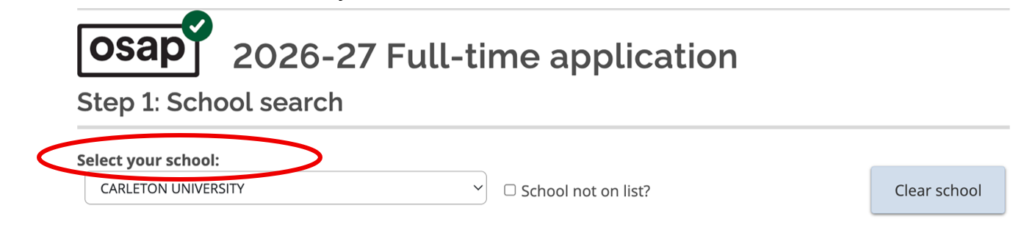
You’ll be asked to select your school using a dropdown menu. Select Carleton University from the list.
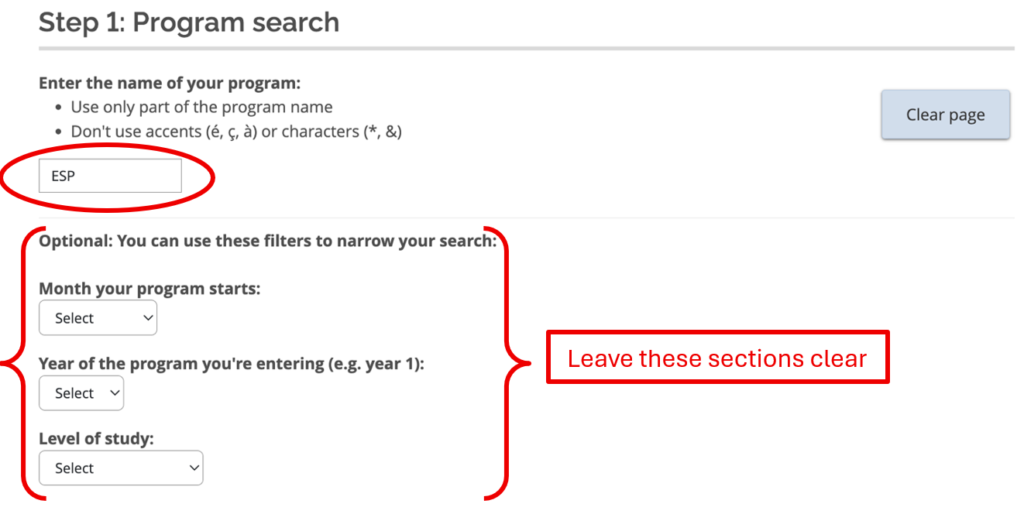
On the Program Search page, enter the name of the program as ESP. The optional selections that ask about the month you’re starting, your year of study and your level of study should be left blank.
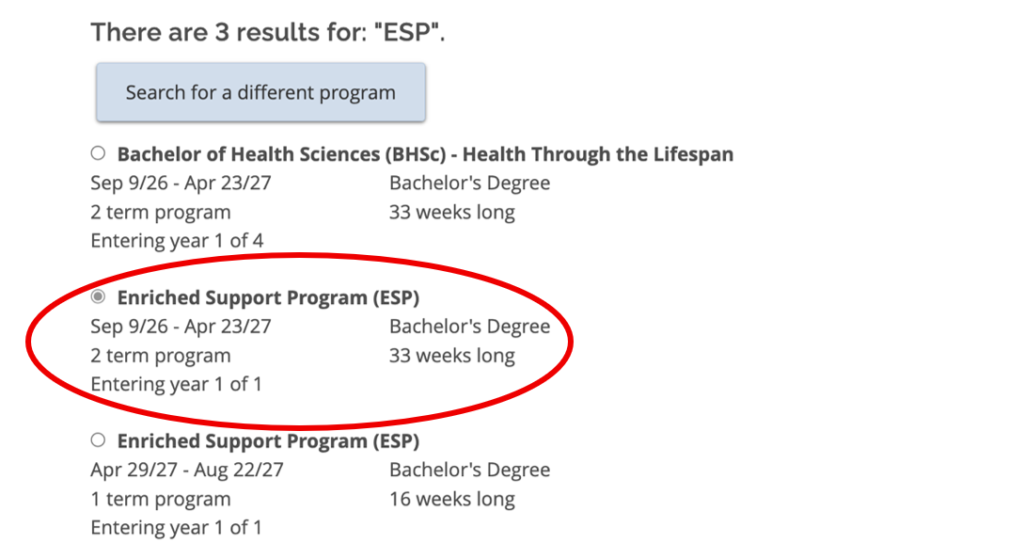
After searching for ESP select the option titled “Enriched Support Program (ESP)”. Make sure to select the option that begins in September and is listed as a 2 term program if you’ll be starting your studies in the fall.
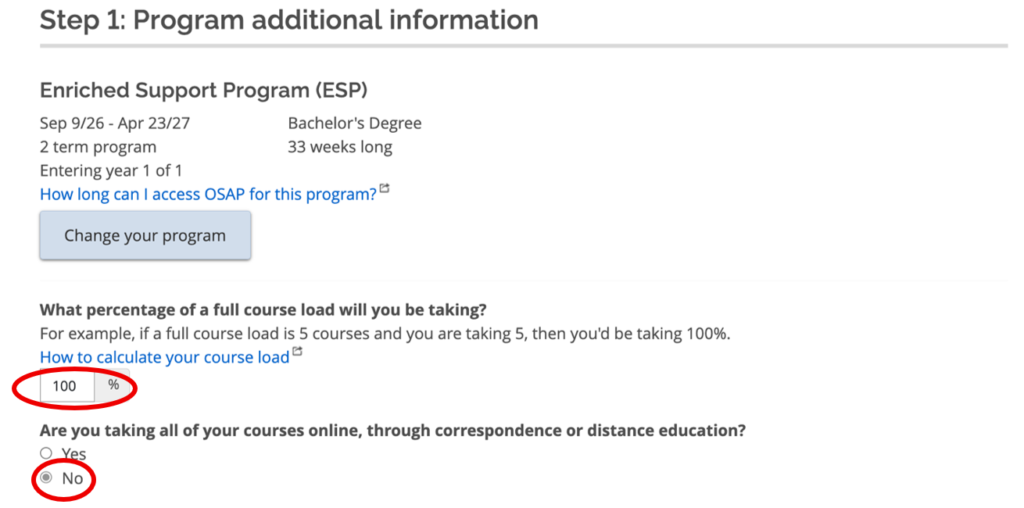
Enter 100% for your course load, and select “No” when asked about taking courses online.
Step 2 – About You
Fill out your personal information.
Step 3 – Complete and submit application
Review your application very carefully before you submit it.
Step 4 – Upload required documentation
You may need to upload documents in order to submit your application. If so, the documents will be listed on the “Print/Upload” page of your application. Make sure you upload these documents as soon as possible. Documents are processed in the order that they are received and can take 6-8 weeks during peak application periods.
Step 5 – Monitor your application
You can monitor the status of your application on both the OSAP page, and via your Carleton email account (cmail). Carleton’s Awards office may send you important information regarding your application.
If at any step you have questions about OSAP, please get in touch with Carleton’s Awards office:
Website: carleton.ca/awards
Email: awards@carleton.ca